Solidify
Solidified lattices are derived from strut lattices and are a necessary step to convert the paths & nodes into a triangulated mesh, or STL file, for printing.
Solidify Workflow
There are two workflow paths for creating a solidified strut lattice:
Tet Strut Lattice Steps
The strut lattice operation implicitly creates a tet mesh while creating the tet strut lattice.
Hex Strut Lattice Steps
Hex strut lattices require a separate operation to create a hex mesh scaffold first.
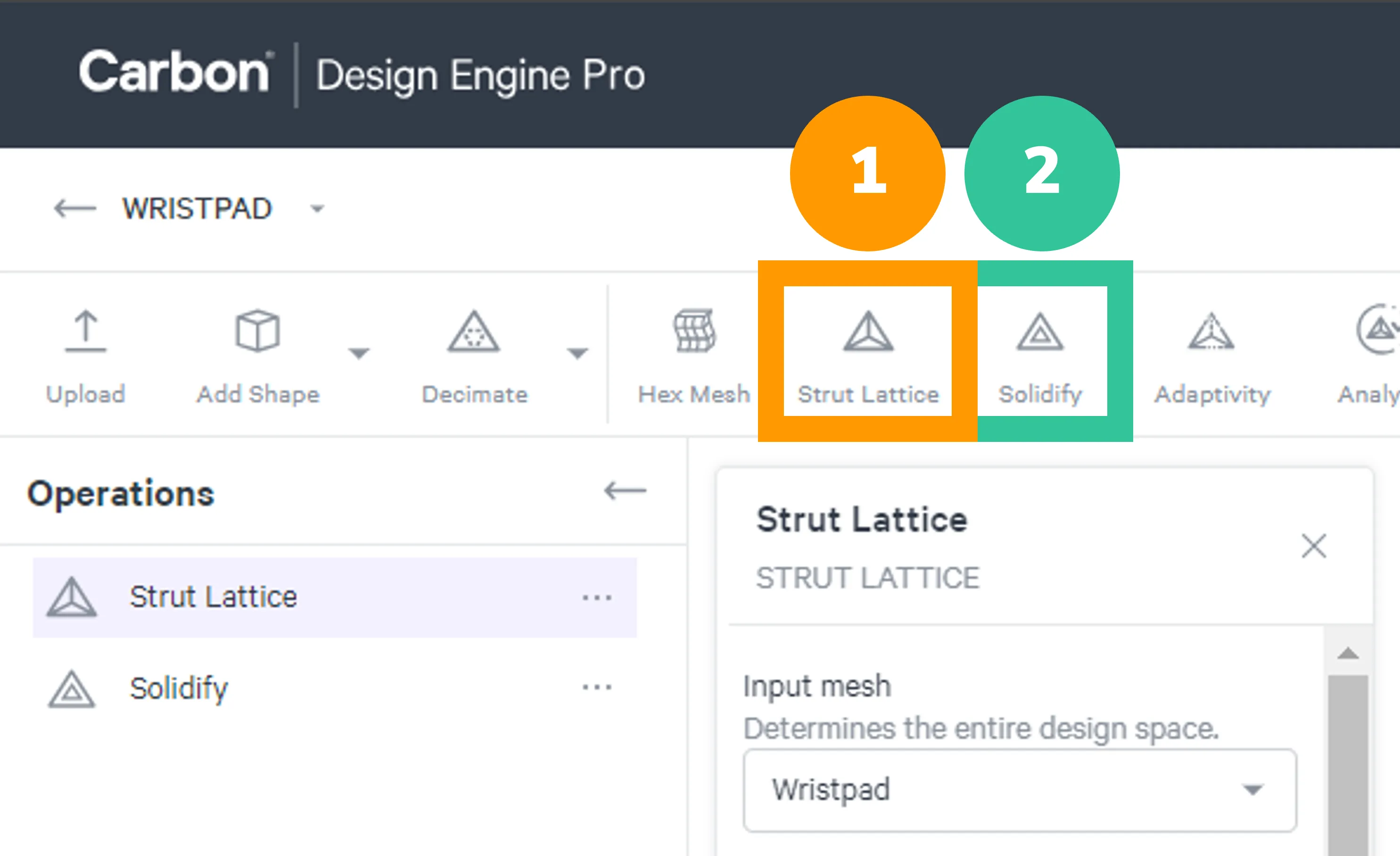
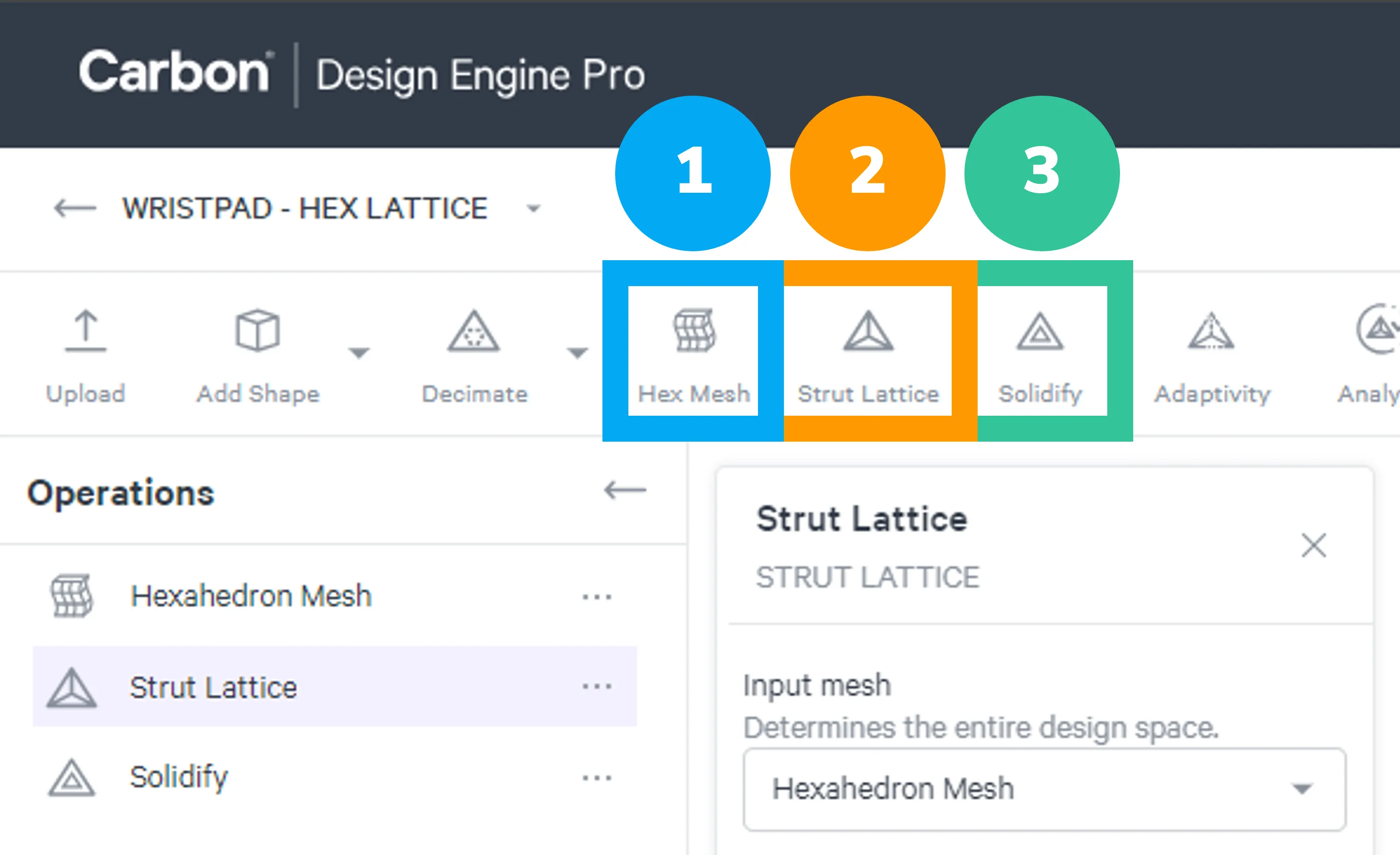
All strut lattices need to use the Solidify operation to be converted into a printable mesh file.
Tet Strut Lattice
Hex Strut Lattice
Solidify Options
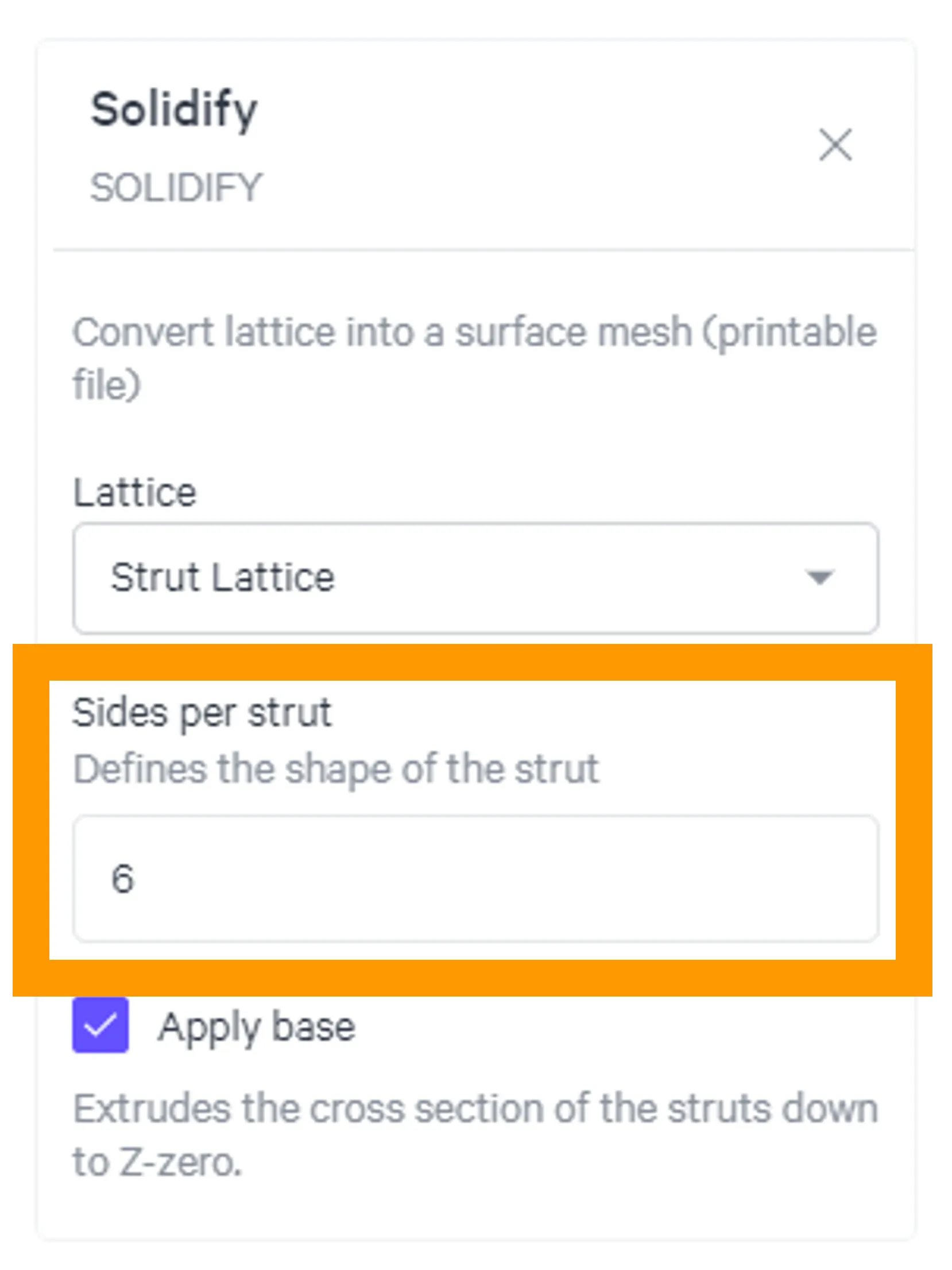
Sides per Strut
The circular cross section of struts are faceted to 6 sides by default when converted to a printable mesh file.
The user can choose to adjust the facets up to 16 sides. Reference Sides per Strut for more information.
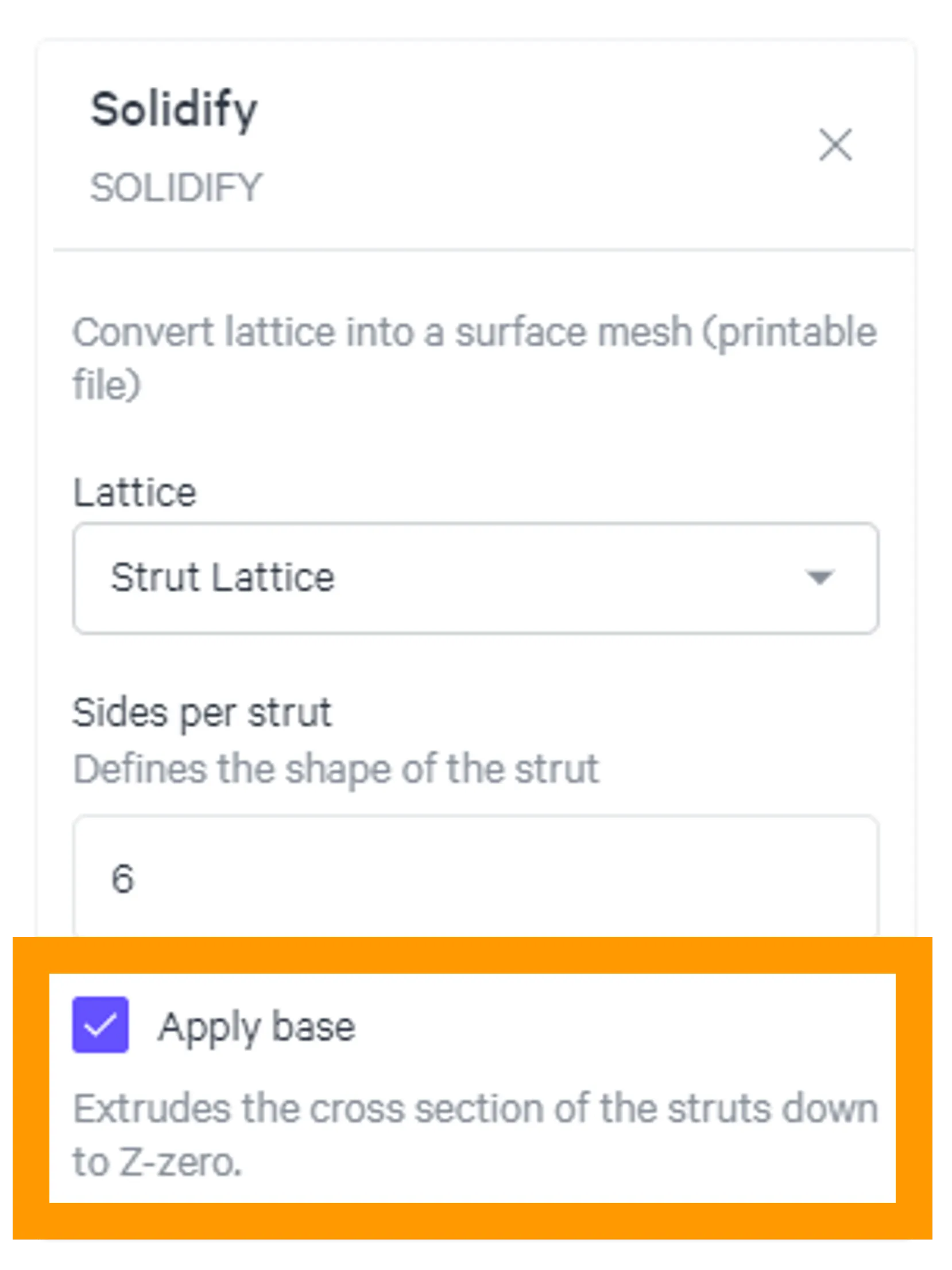
Apply Base
The Apply Base feature creates a flat surface on the base struts to ensure platform adhesion during printing.
Use this feature when you want to adhere your lattice directly to the platform.
Strut Lattice and Solidify
Strut Lattice and Solidify are a Team Both tools must be used to create a printable strut lattice.
Strut Lattice Strut Lattice is the foundational structure, derived from your specified parameters. At its core, this is a structure of unprintable lines and nodes.
Solidify Solidified lattices are derived from Strut Lattices but have been converted into a triangulated mesh, or STL file, for printing.
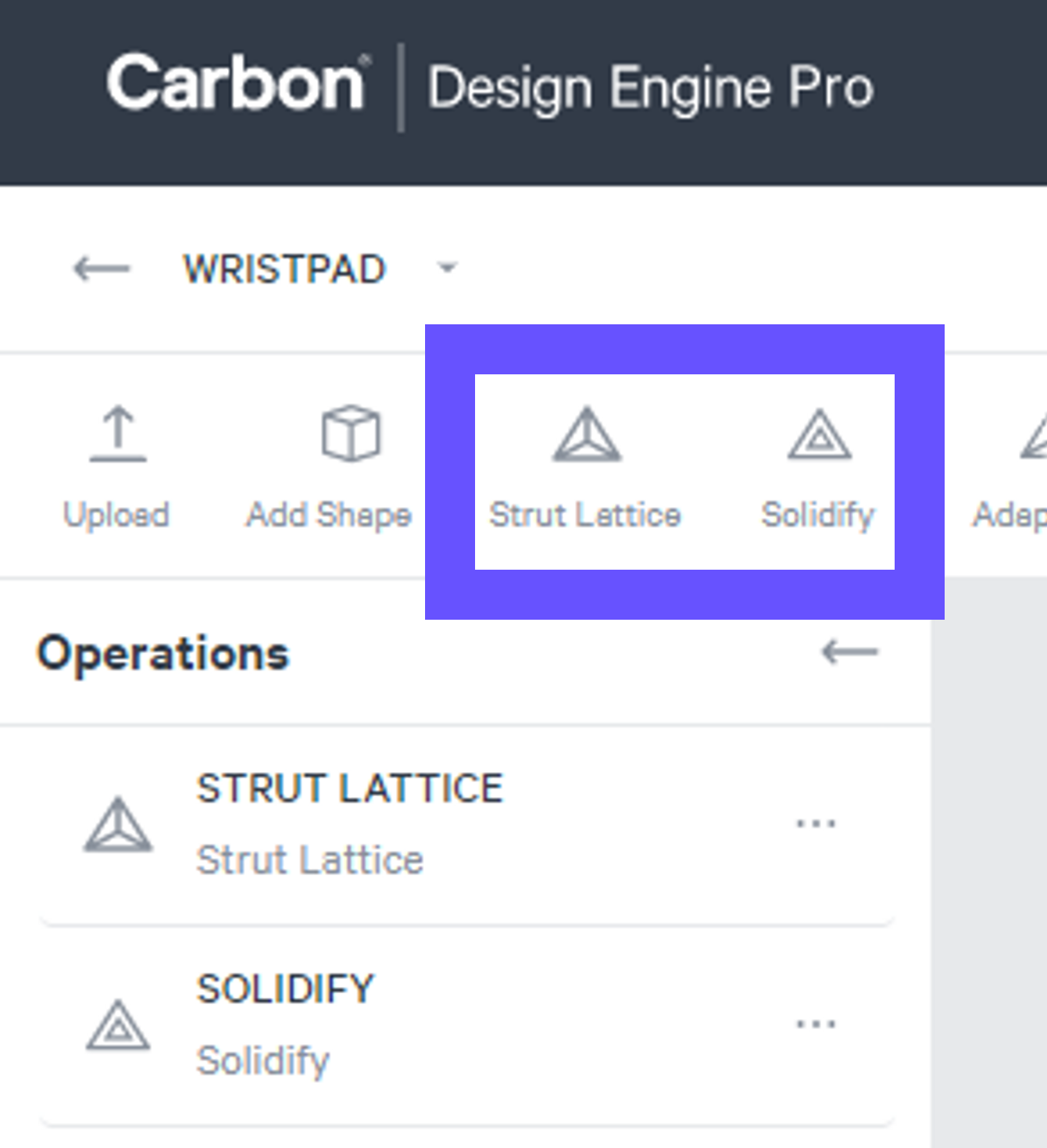
Strut Lattice and Solidify Visibility
- Strut Lattice can be viewed volumetrically (Preview or Diameter) or as lines (Paths & Nodes).
- Solidify accurately depicts the printable STL file, with all utilized features in play. If you are not seeing a feature depicted in a volumetric strut lattice view, you may need to view the solidified lattice.
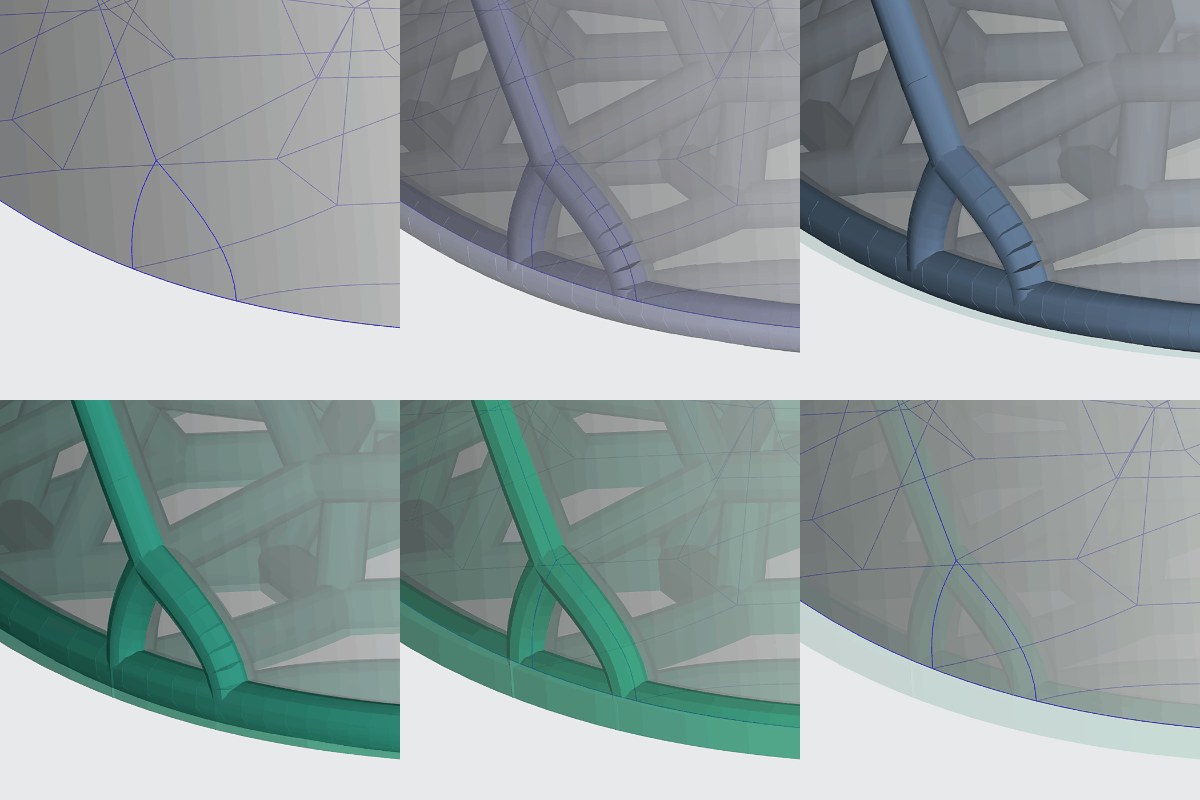
Strut Lattice The strut lattice lines are polylines, not splines, made up of line segments. The default view for Strut Lattices is to display them volumetrically with the specified strut diameter, helping you visualize the lattice in 3D. This view expands each line segment with a circular cross section of the specified diameter. Line segments along a curved strut may appear not fully connected on the outside of the curve. However, this is only a temporary visual representation and does not affect the integrity of your struts.
Solidify In the mesh conversion, all seemingly disconnected line segments are fully connected in the printable lattice.