---
title: Edit Strut Lattice
slug: software/edit-strut-lattice
description: Carbon Design Engine provides strut lattice editing to fine tune your lattices for aesthetic or performance reasons.
docTags:
createdAt: 2024-06-05T17:31:31.180Z
---
Design Engine provides an array of powerful tools and features that allows users to fine tune a lattice that is conformal to the design space. In doing so, whether it is from the conformal nature of the lattice, transition of lattice types across zones, or adaptivity of the lattice into small features, you may occasionally find individual struts that you want to **delete **or **modify**, or areas where you want to **add struts**, for aesthetic or performance reasons.
# Example Use Cases
::::VerticalSplit{layout="middle"}
:::VerticalSplitItem
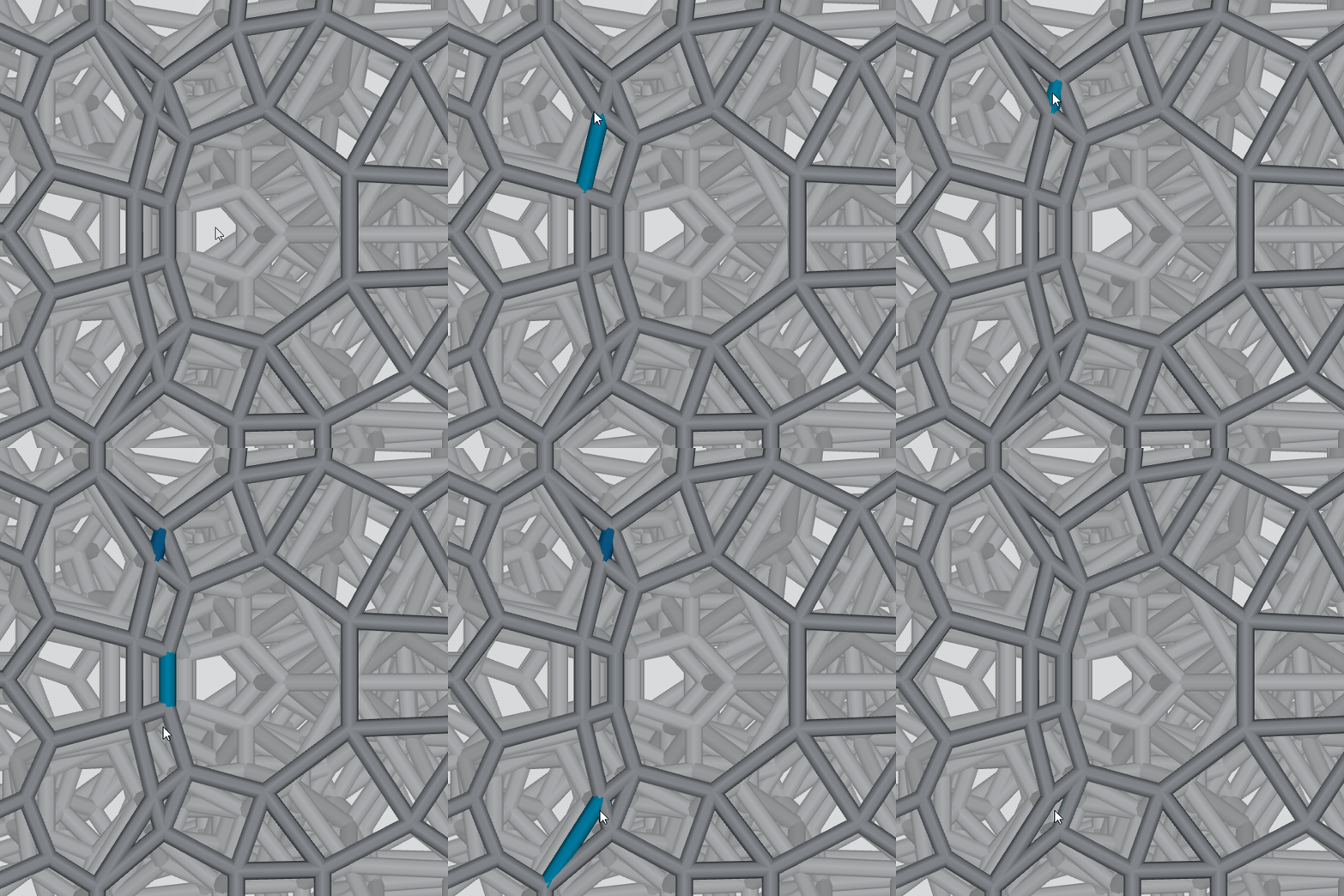
**Delete at crowded struts**
:::
:::VerticalSplitItem
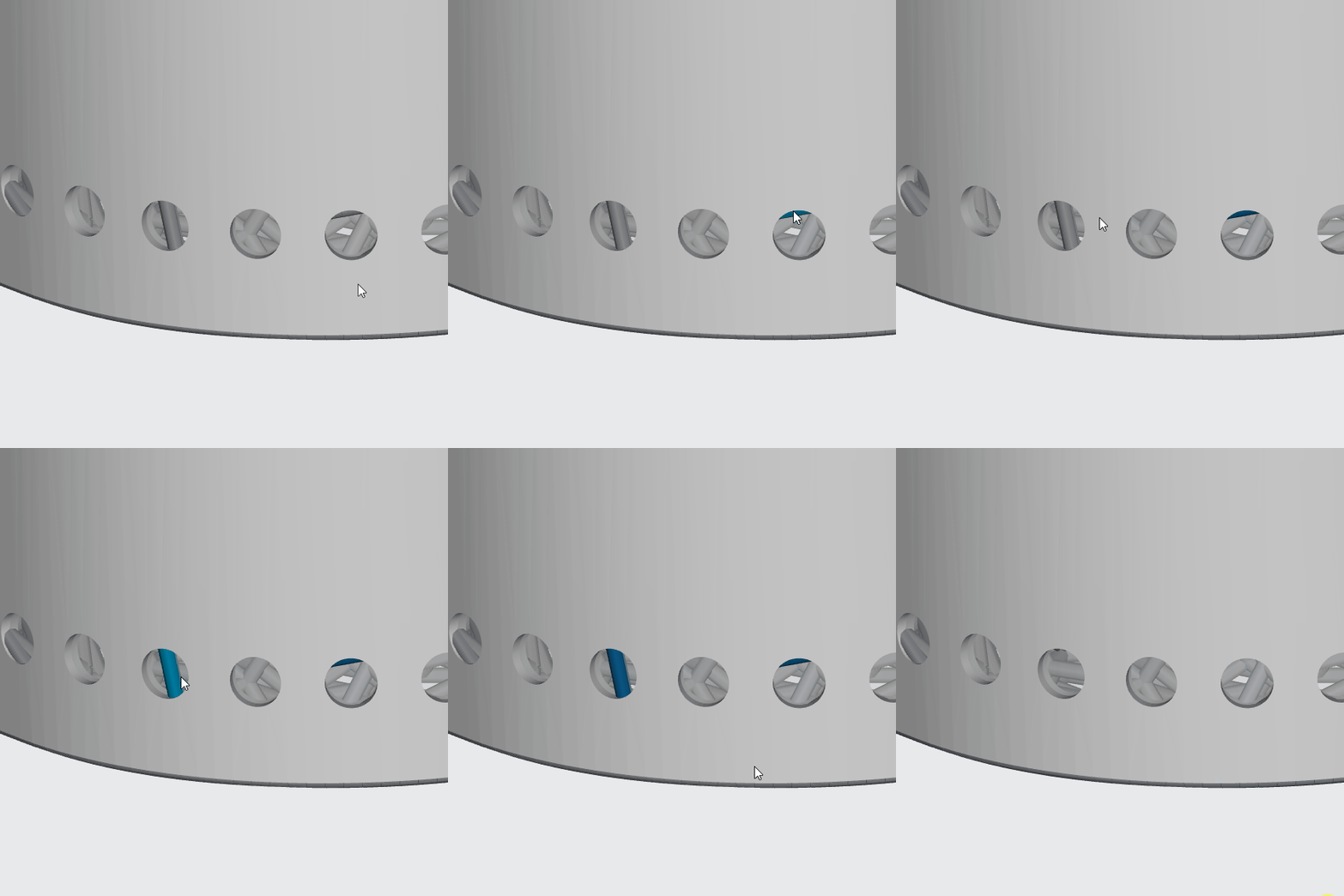
**Delete blocking struts at vent holes**
:::
::::
::::VerticalSplit{layout="middle"}
:::VerticalSplitItem
**Increase strut size at a large opening**

:::
:::VerticalSplitItem
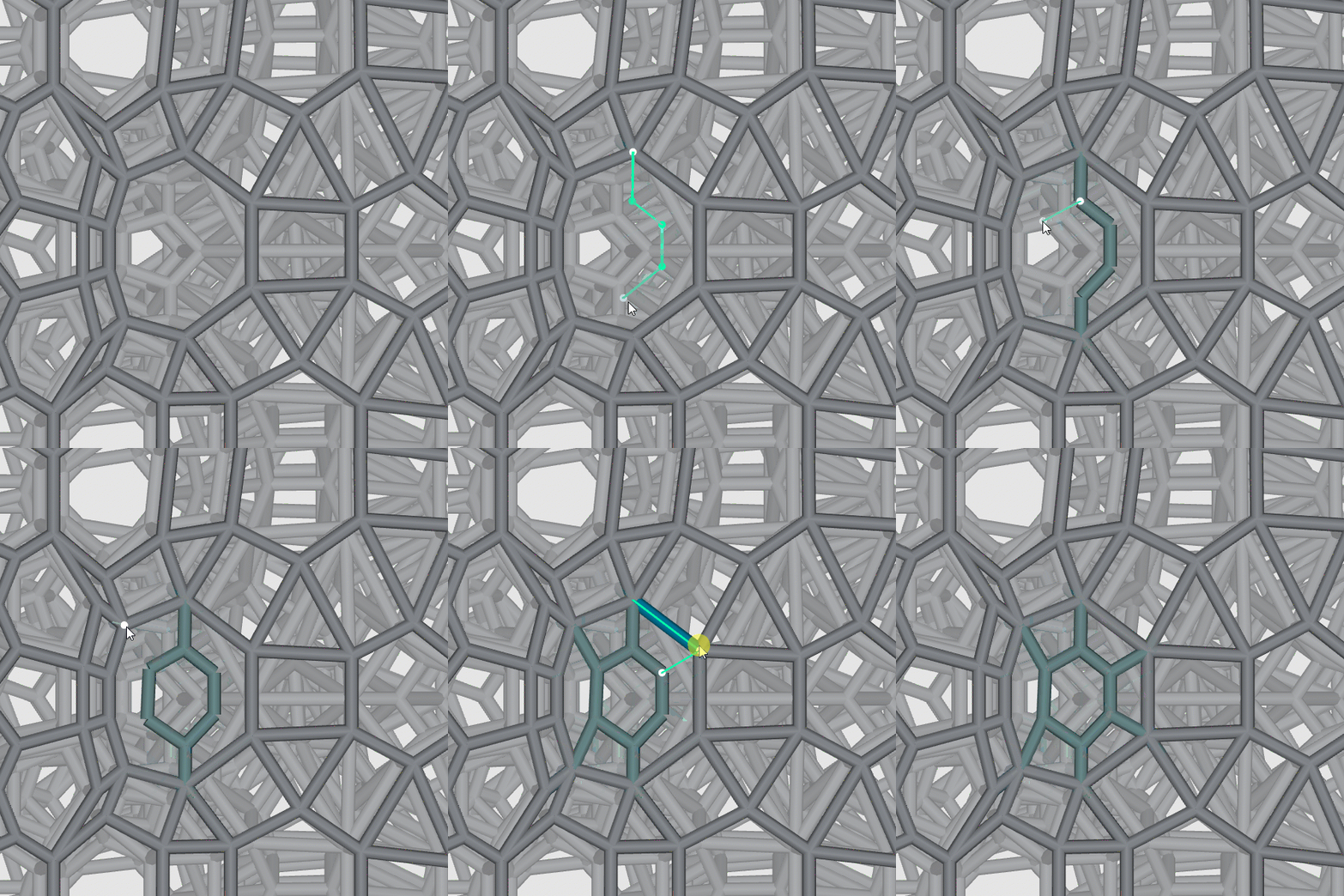
**Add struts at a large opening**
:::
::::
# Open Edit Feature
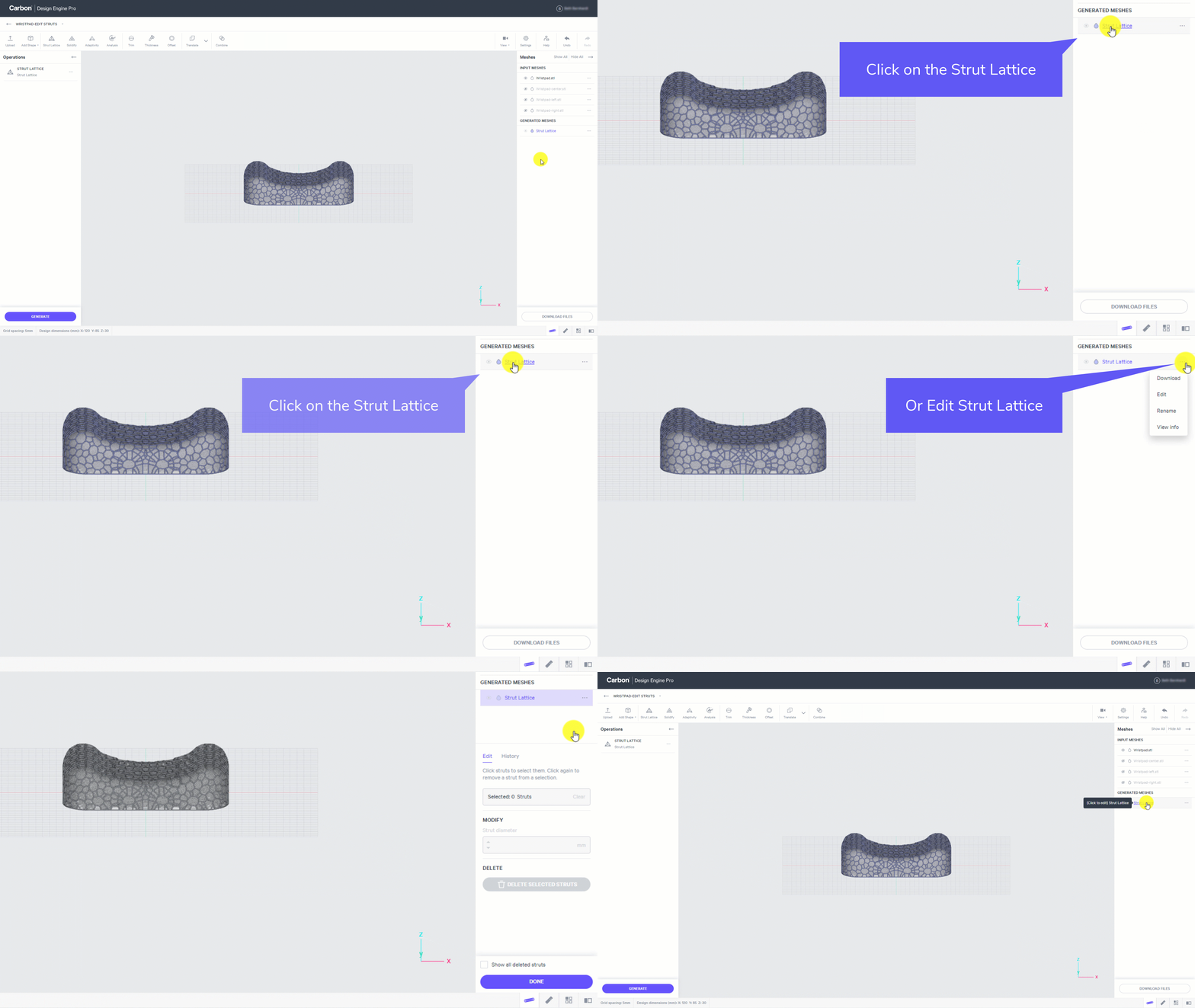
- Click on the Strut Lattice from the Generated Meshes list to open editing.
- Or select Edit from the menu of a generated strut lattice.
:::hint{type="info"}
Note that editing struts is only applicable to Strut Lattices rather than Solidified lattices. Solidified lattices are derived from Strut Lattices but have been converted into a triangulated mesh stl file for printing.
:::
# Delete Struts
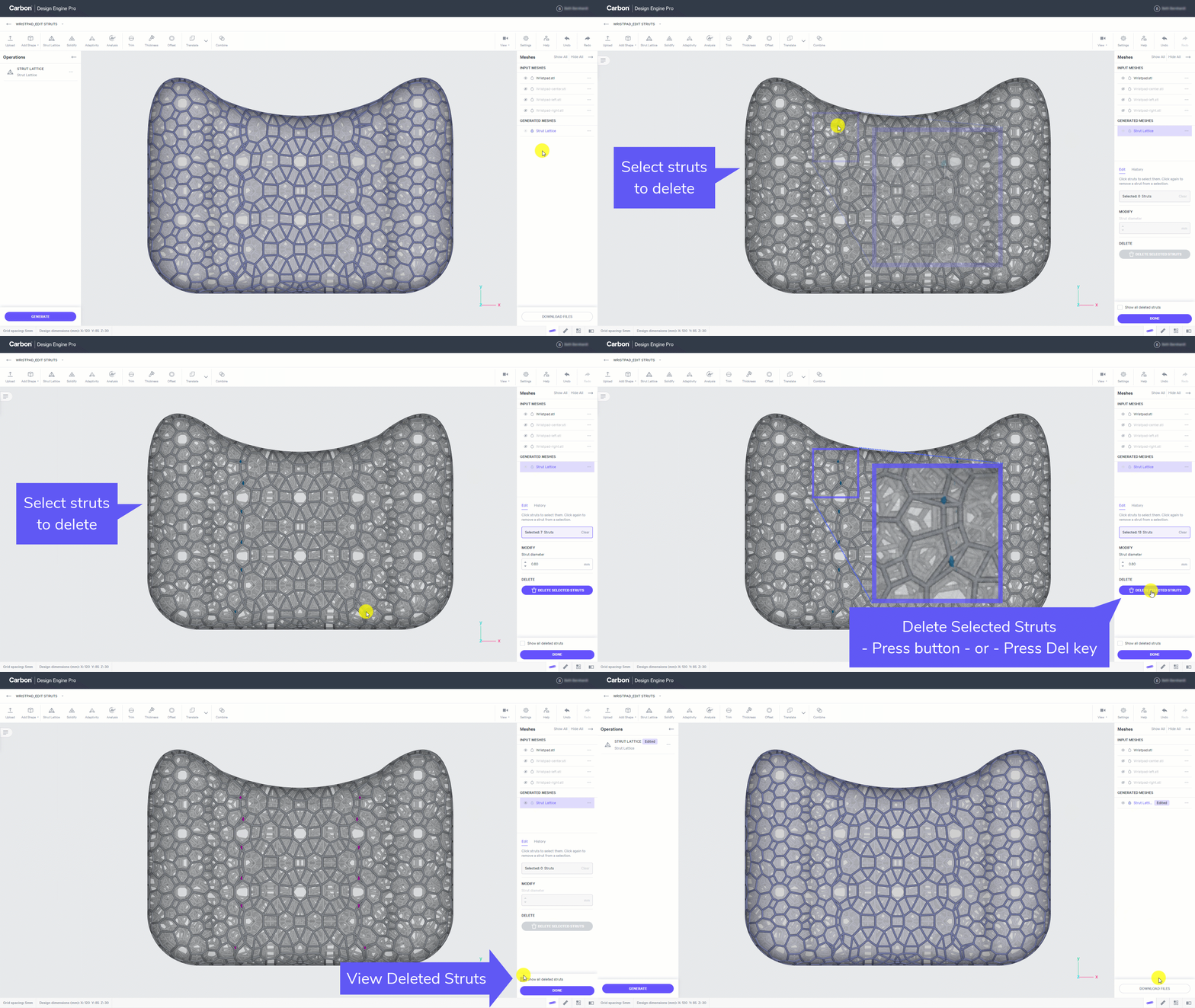
A tight cluster of struts may not provide the **aesthetics **that you want, and in some cases could lead to to difficulties in **post-processing **(such as washing away liquid resin).
In this example, the transition between lattice types creates several tight shapes that can be easily opened up by removing select struts.
::::VerticalSplit{layout="left"}
:::VerticalSplitItem
- Click on Strut Lattice
- Select struts to delete
- Delete selected struts
- Press button
- or Press Del key
- View deleted struts
- Click Done
:::
:::VerticalSplitItem
:::
::::
# Modify or Add Struts
Areas of larger openings may lead to a softer **performance **than you would like in the lattice (or conversely small openings could feel too stiff), and in some cases, struts may be too long for **printability **in transitional areas.
::::VerticalSplit{layout="middle"}
:::VerticalSplitItem
:::
:::VerticalSplitItem
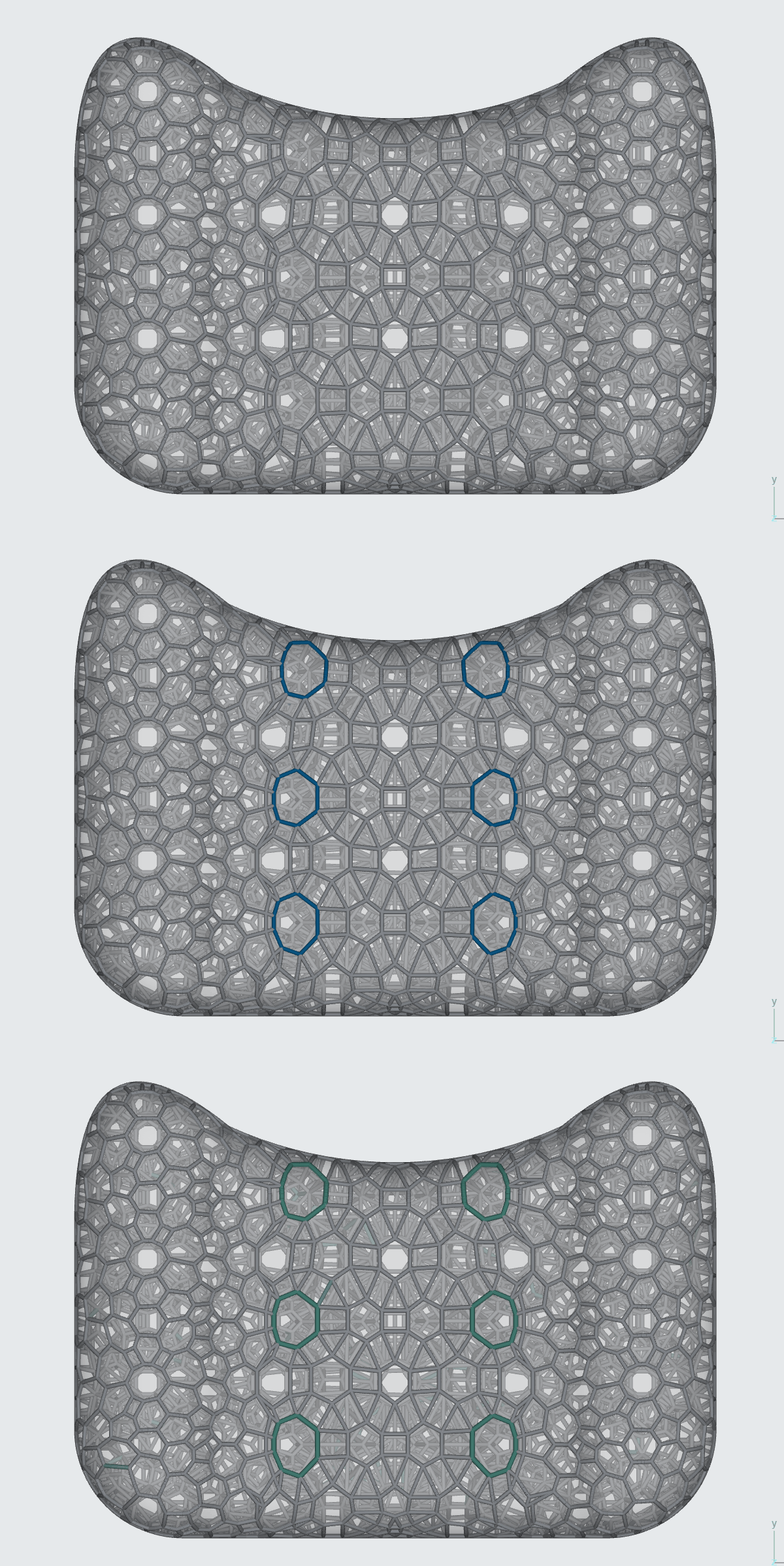
In this example, the transition between lattice types creates a handful of larger openings that can make the lattice feel a bit softer in the transition. **Medium soft**** - ****softer**** - ****stiffer**
The actual intention is a smooth transition from **medium soft** to **stiffer**.
:::
::::
## Modify Struts
Modifying the struts around those larger openings from a **0.8 mm** to **1.2 mm** diameter can stiffen those areas to get the smooth performance transition desired.
::::VerticalSplit{layout="left"}
:::VerticalSplitItem
- Click on Strut Lattice
- Select struts to modify
- Adjust strut diameter
- Click Done
:::
:::VerticalSplitItem
:::
::::
:::hint{type="info"}
Note that the **ESC **key will clear any strut selections.
:::
## Add Struts
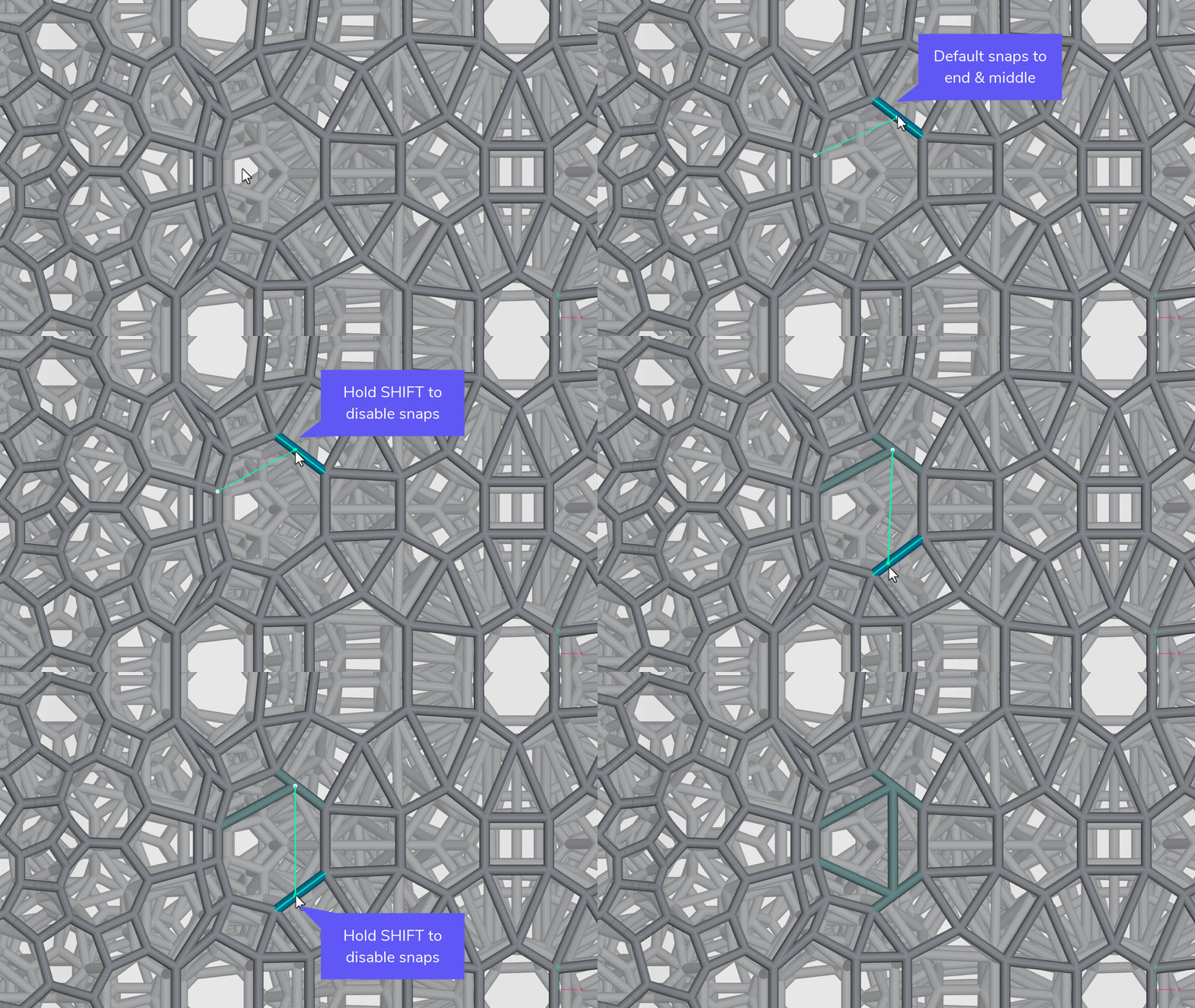
An alternative to modifying struts to add stiffness at large openings is to add new struts. Using the same example as modified above, we can create smaller openings to stiffen weak areas.
::embed[]{url="https://vimeo.com/829609015"}
:::::ExpandableHeading
Video Text
::::VerticalSplit{layout="middle"}
:::VerticalSplitItem
- Click on Strut Lattice
- Click on Add
- Click on Learn more for all editing options
- Optionally set strut diameter
- Optionally disable boundary morph
- Optionally change boundary mesh
:::
:::VerticalSplitItem
- Option 1 - Add to existing nodes
- Click on start and end nodes
- Option 2 - Create new nodes off existing nodes
- Click on an existing node to start
- Hold CTRL and click anywhere on boundary surface for a new node
- End on an existing node
- Click Done
:::
::::
:::::
::::VerticalSplit{layout="middle"}
:::VerticalSplitItem
:::
:::VerticalSplitItem
**Strut Snaps**
When adding struts, the **default** behavior will **snap to end and middle points** on a strut.
To disable this behavior and easily click anywhere on a strut, hold **SHIFT** **to disable snaps**.
:::
::::
# History
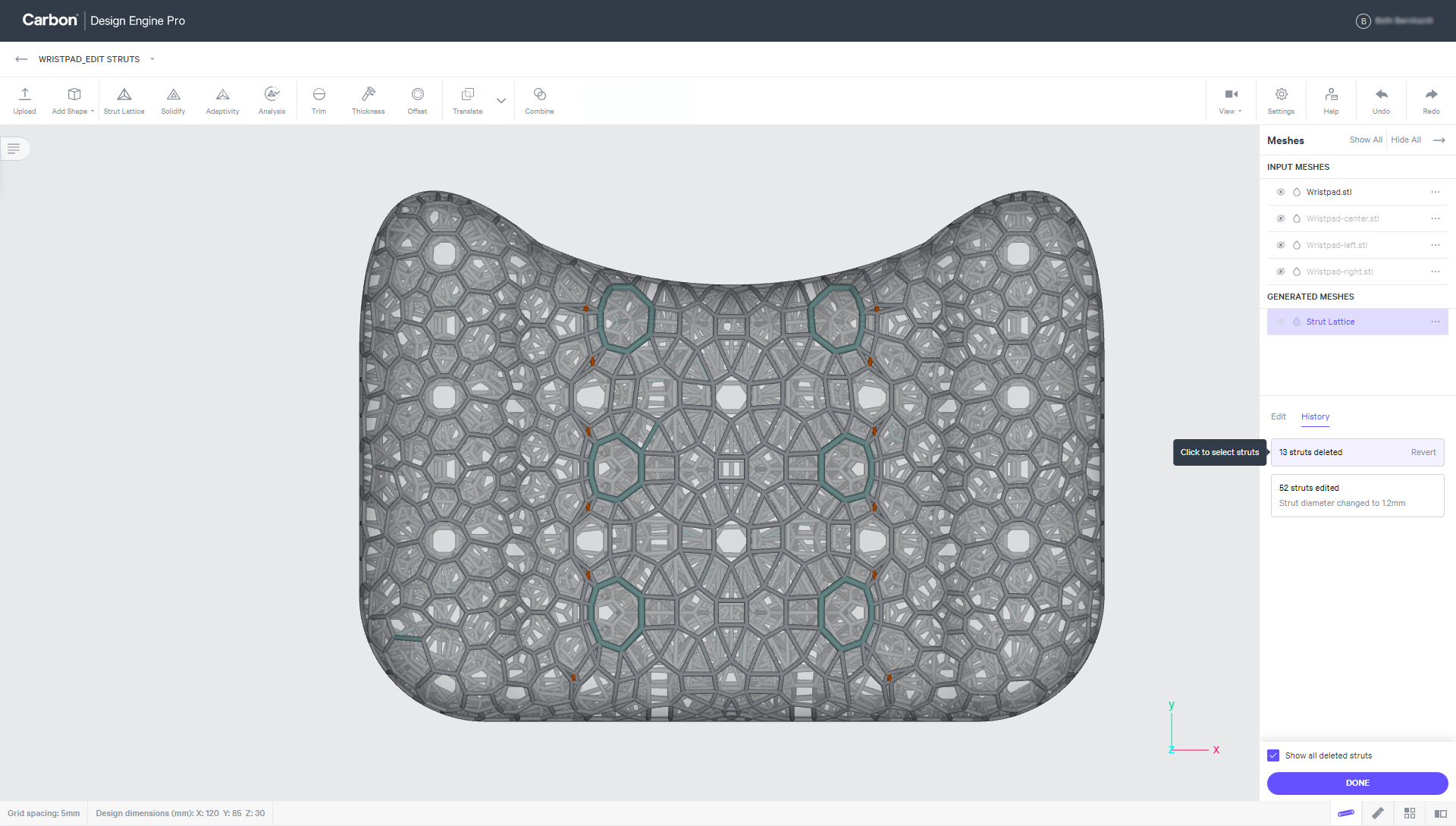
All **deleted **and **modified **struts can be viewed by toggling to the history tab. Edited struts may be selected and reverted back as needed.
*Does not apply to added struts.*
:::hint{type="info"}
Note that you can hover over a strut while editing to see more information about the strut.
:::
:::hint{type="info"}
Note that any operations after Strut Lattice, such as Solidify, will need to be regenerated after making any edits.
:::