---
title: Combine
slug: software/combine
docTags:
createdAt: 2025-01-09T17:54:33.819Z
---
**Combine **merges separate parts (individual STL mesh files) into one mesh file for printing.
It is recommended to use this feature after you have applied all other optional features.
# Benefits of Combine
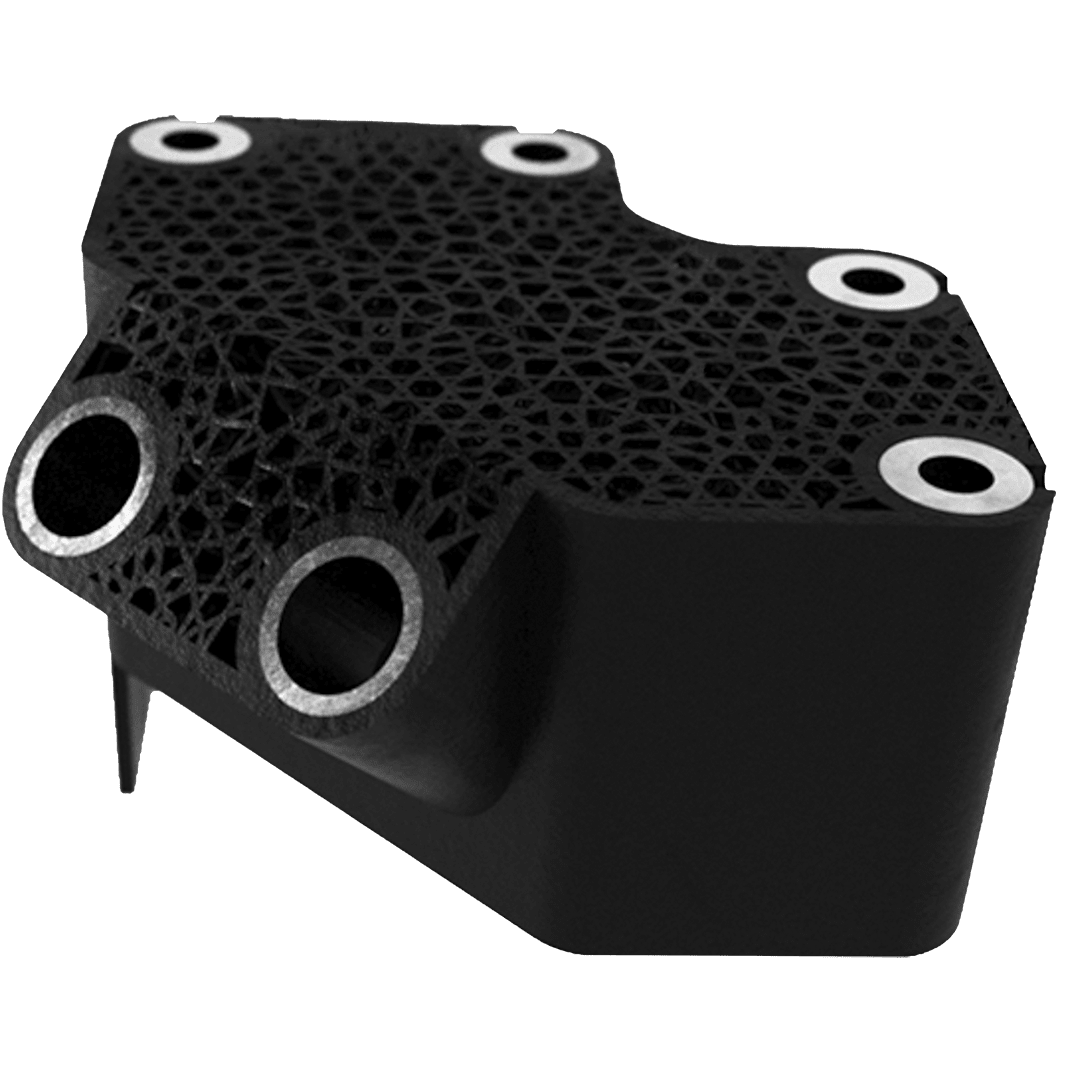
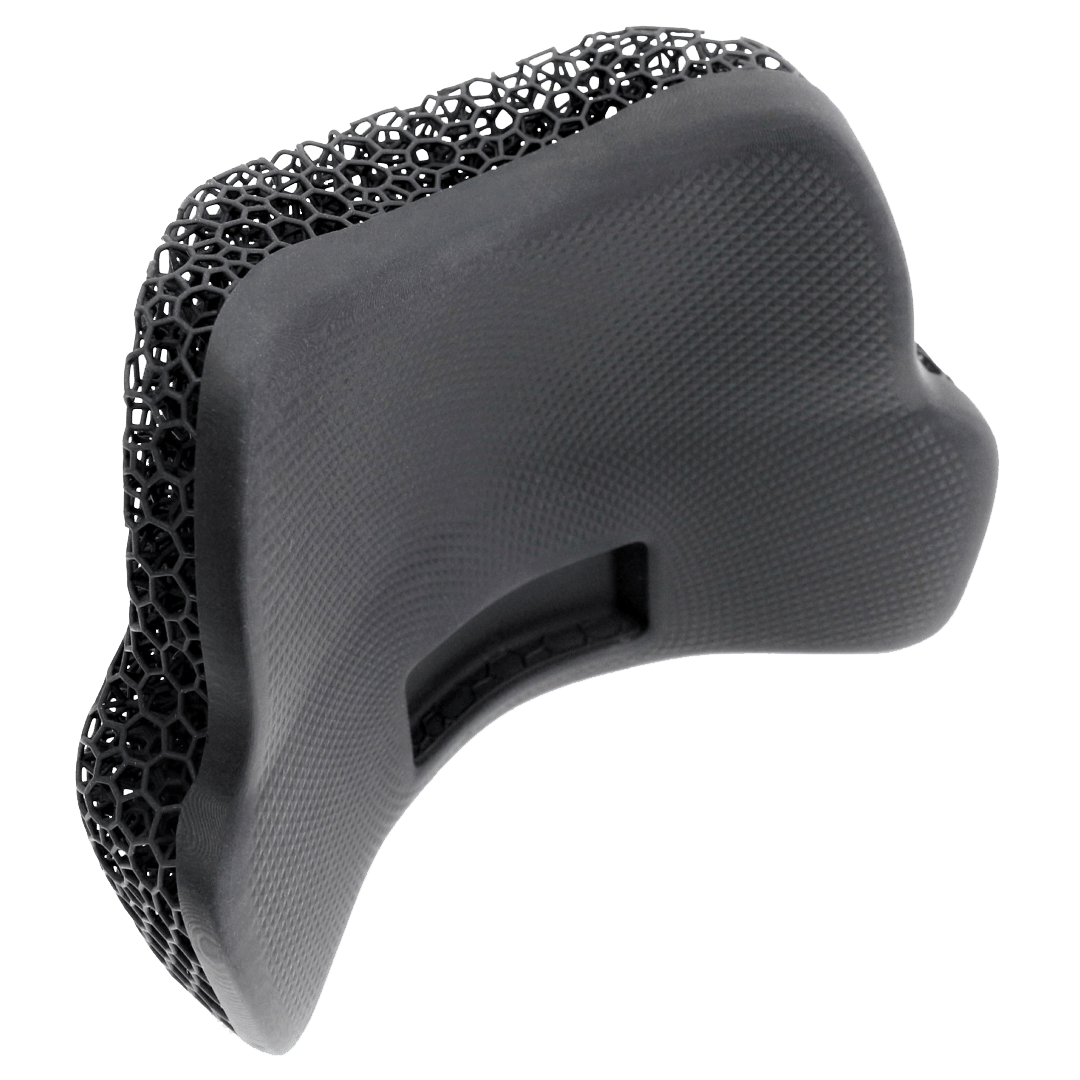
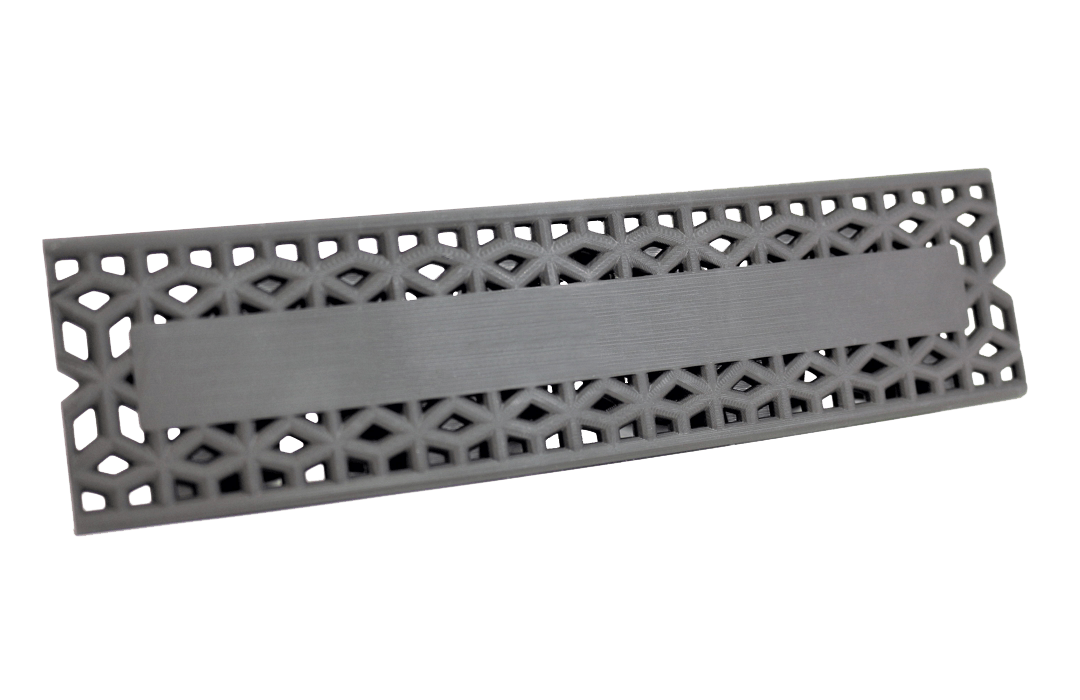
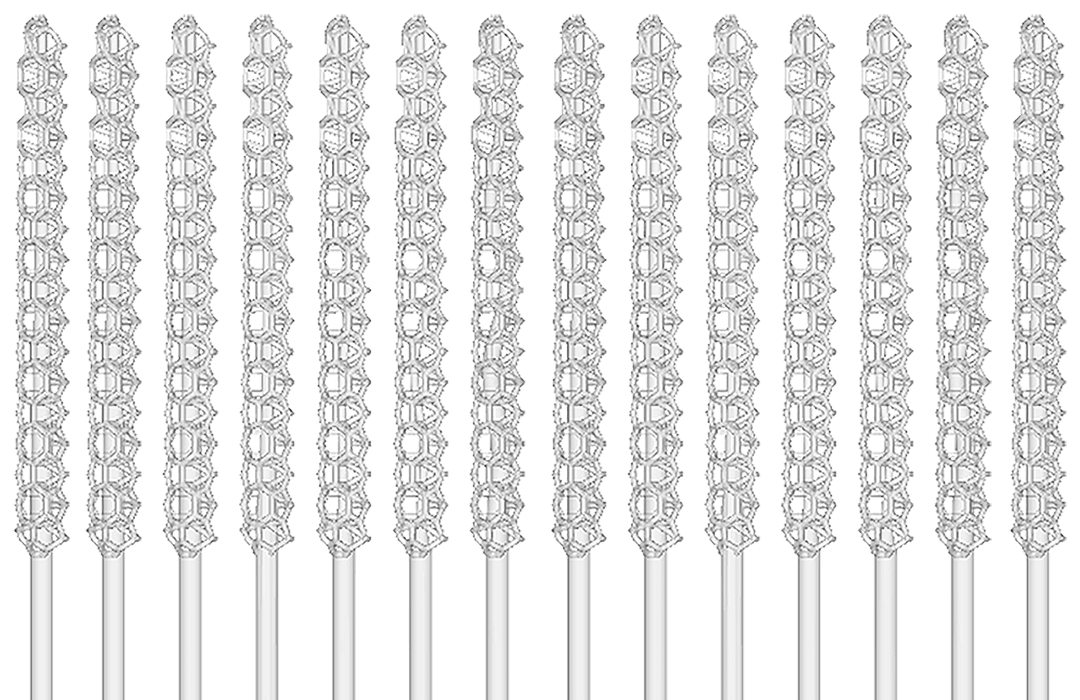
Some applications may benefit from a partial lattice, while still being printed as one part.
Examples include:
- **Lightweighting **to reduce the overall mass of a part
- **Skins **to provide a covering, or "upholstery", to a cushion lattice
- Flat surface to apply **part labels**
- **Functional lattices **such as COVID testing swabs
::::VerticalSplit{layout="middle"}
:::VerticalSplitItem
:::
:::VerticalSplitItem
:::
::::
::::VerticalSplit{layout="middle"}
:::VerticalSplitItem
:::
:::VerticalSplitItem
:::
::::
# Combine Workflow
:::::WorkflowBlock
:::WorkflowBlockItem
## Create CAD models
Create the model(s) to be merged as separate part(s) in the CAD file.
In this example, the **wrist pad** will be latticed and a **small label** will be combined as one part.

:::
::::WorkflowBlockItem
## Combine in Design Engine
::embed[]{url="https://vimeo.com/569979609"}
:::ExpandableHeading
Video Text
1. **Upload** model file(s) to combine
2. **Combine**
• Select Combine
• Select the input meshes to combine
• Overlap parts to obtain a proper connection
3. **Click Generate**
:::
::::
:::::
:::hint{type="info"}
**Are your parts not aligning correctly upon import?**
Make sure you export parts from an assembly so that all parts use the same coordinates. Reference the **Lattice File Preparation - File Export **lesson for details.
:::
# Skins on a Lattice
Skins are often useful over an elastomeric lattice when you want the performance of a lattice but need a smooth surface in some areas for functional reasons.
**Design Guidelines for Skins**
::::VerticalSplit{layout="middle"}
:::VerticalSplitItem
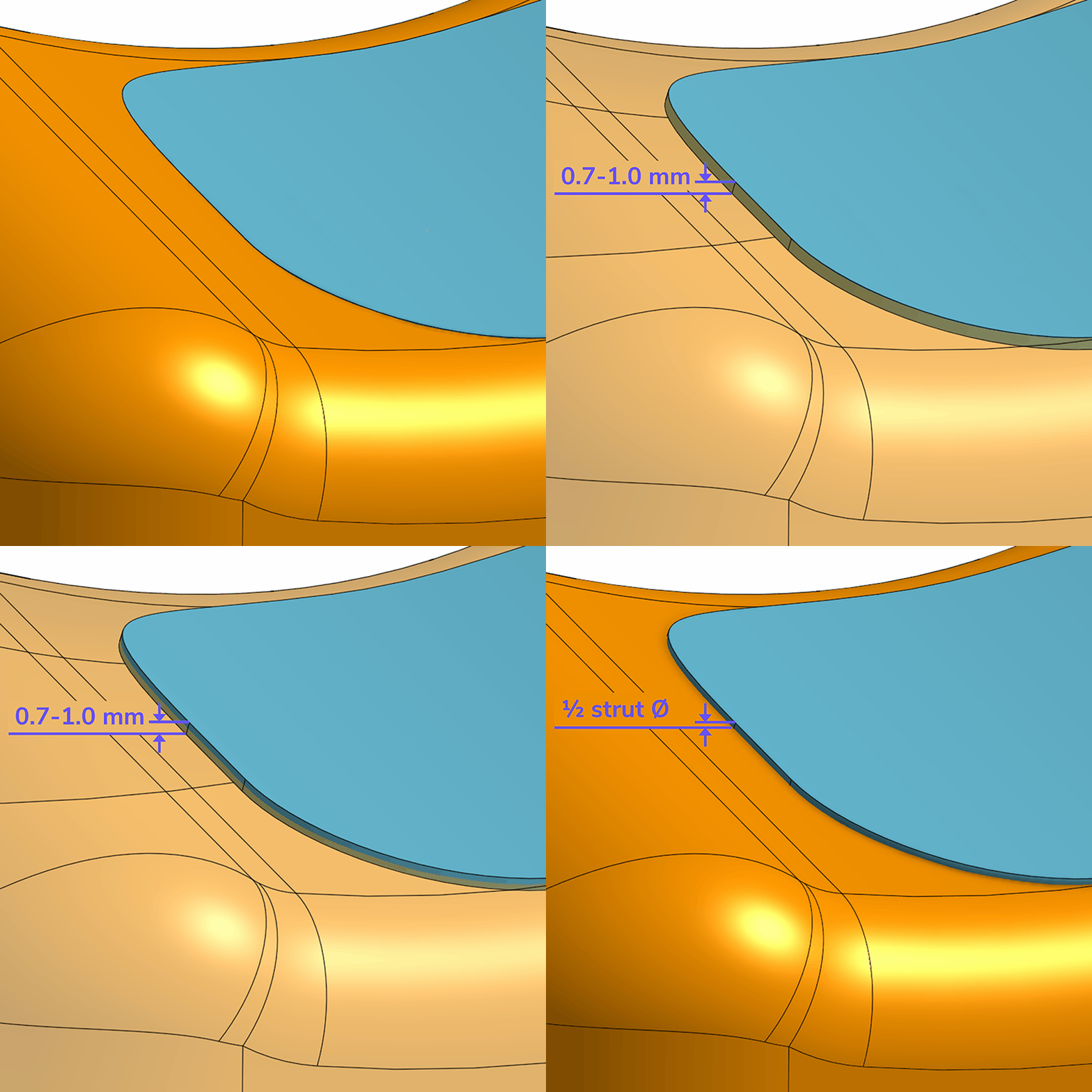
- **0.7 - 1.0 mm thickness** recommended for skins
- Position the skin **proud of the lattice surface by at least 1/2 the strut diameter **to achieve a smooth surface (lattices generate outwards by 1/2 the strut diameter)
:::
:::VerticalSplitItem
:::
::::
::::VerticalSplit{layout="middle"}
:::VerticalSplitItem

:::
:::VerticalSplitItem
::Image[]{src="https://articulateusercontent.com/rise/courses/_Knsi1EbYUHQ-WhMXVUzKfbckS2-r3xI/zfKmd-jSO-bk2YNR.jpg" size="98" width="1200" height="800" position="center" caption="Skin surface flush with lattice design space surface" showCaption="true"}
:::
::::
:::hint{type="info"}
Note that **skins should overlap with the lattice struts** to properly combine. Do not place the skin flush with the edge of the strut.
:::
:::hint{type="info"}
Note that any lines you see in the software where the lattice intersects is a rendering anomaly - zooming in closer will remove the anomaly.
:::
# Drainage
**Always provide drainage holes for liquid resin **when a skin or housing shell provides near or full coverage of the lattice.
::::VerticalSplit{layout="middle"}
:::VerticalSplitItem

:::
:::VerticalSplitItem
Liquid resin needs to have drainage both during printing and post-processing.
- **2.5 mm diameter**
- Provide as many holes as the design allows
- Avoid placing holes directly over a strut or utilize a consistent pattern for hole placement
:::
::::
# Combine is Not a Boolean Union Operation
The [Combine](docId\:qgtfrFw3wkjEOb0eY5hYv) feature does not work like a [boolean union operation](docId\:JuhvzNbNICb8p1WyciPnm) commonly found in many CAD programs. A boolean union will trim any overlapping entities to create a singular entity. The combine feature will leave any overlaps in place, providing a **quick processing time **while still enabling you download a single mesh file for printing.
::::VerticalSplit{layout="middle"}
:::VerticalSplitItem

:::
:::VerticalSplitItem

:::
::::
::::VerticalSplit{layout="middle"}
:::VerticalSplitItem
The **overlapping entities do not present an issue when using a Carbon printer**. The slicing functions in Carbon software are smart enough to read any overlapping as a single entity.
:::
:::VerticalSplitItem

:::
::::
:::hint{type="warning"}
The same may not be true if using combined mesh files in other 3d printing programs. Be aware that overlapping triangles in the STL files may exhibit errors outside of Carbon software. Use the [Boolean Union](docId\:JuhvzNbNICb8p1WyciPnm) operation in these cases.
:::