---
title: Oven Programming
slug: process/oven-programming
description: Here you will find Carbon's comprehensive guide on programming the Yamato Convection Oven. This document provides step-by-step instructions for oven setup, including facility readiness checks and adjusting over-temperature protection.
docTags:
createdAt: 2025-01-31T22:02:58.338Z
---
This page provides instructions for programming the Yamato Convection Oven.
# Setup
:::hint{type="info"}
Be sure you have completed all facility requirements before setting up the convection oven:
- [General Site Prep Guide](docId\:qURI-vop3eJ6F43hnuslD)
- [Dental Site Prep Guide](docId:8bULGdVSGPoM0BLn8WV3j)
:::
::::::WorkflowBlock
:::::WorkflowBlockItem
### Turn on oven
::::VerticalSplit{layout="right"}
:::VerticalSplitItem
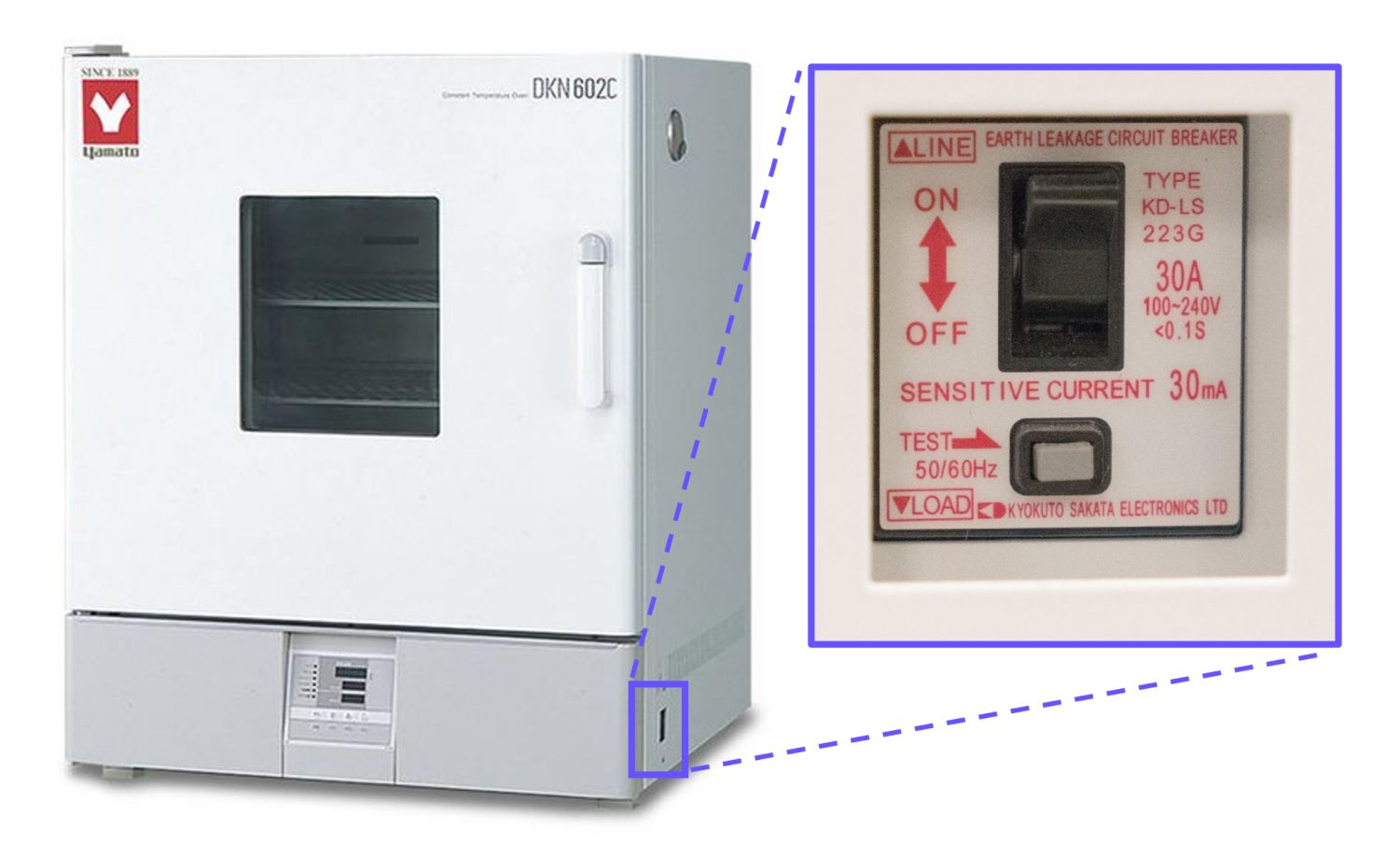
1. Turn on the oven by using the rocker switch on the right side of the oven.
2. After 5 seconds the oven will be ready to set.
:::
:::VerticalSplitItem
:::
::::
:::::
:::::WorkflowBlockItem
### Set Over-Temperature Protection
This will prevent the oven from going over the threshold temperature.
::::VerticalSplit{layout="middle"}
:::VerticalSplitItem
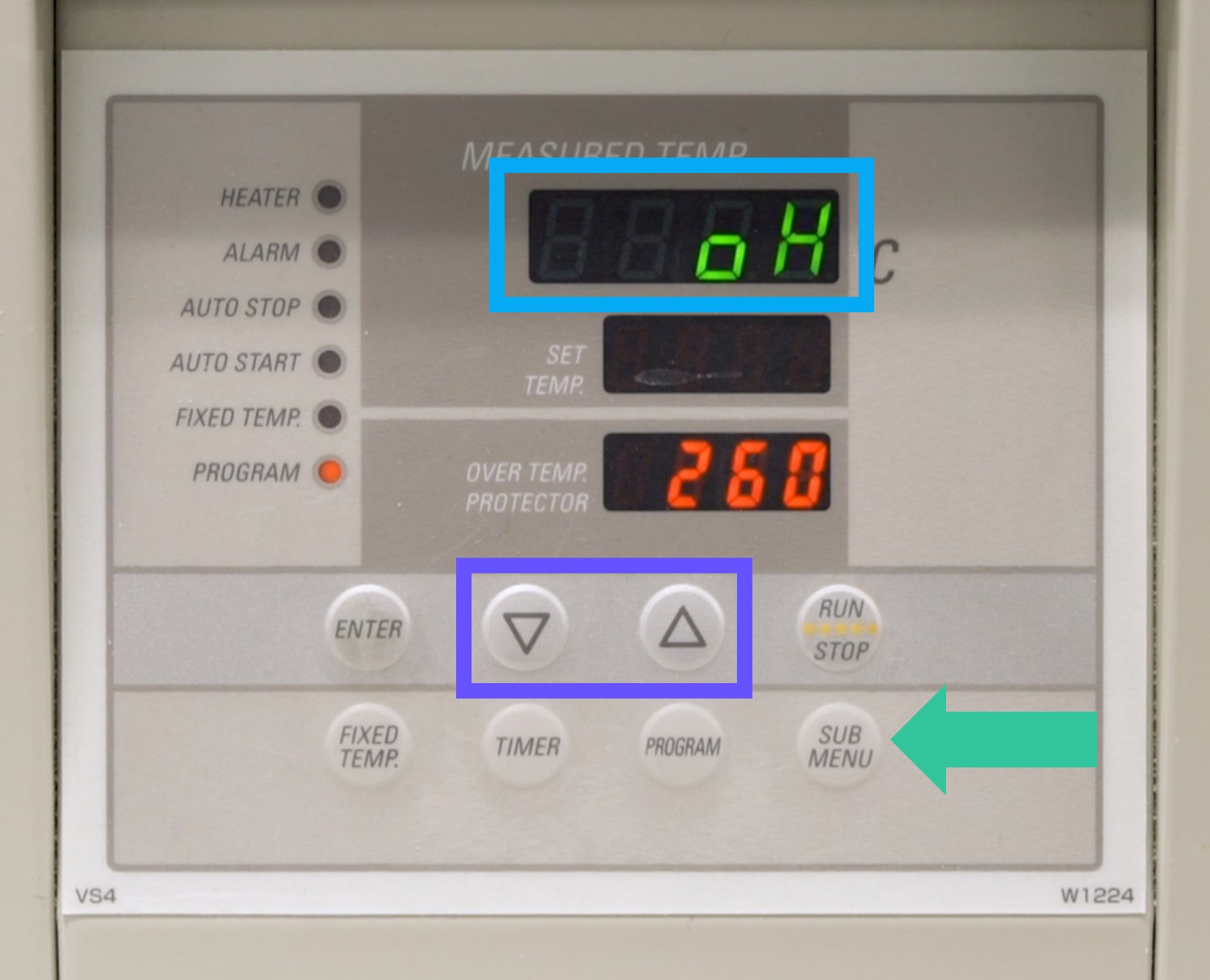
1\. Press the **SUBMENU** key.
2\. Press the **▼▲ keys** several times to select the setting character of overheating prevention temperature **oH.**
:::
:::VerticalSplitItem
:::
::::
::::VerticalSplit{layout="middle"}
:::VerticalSplitItem
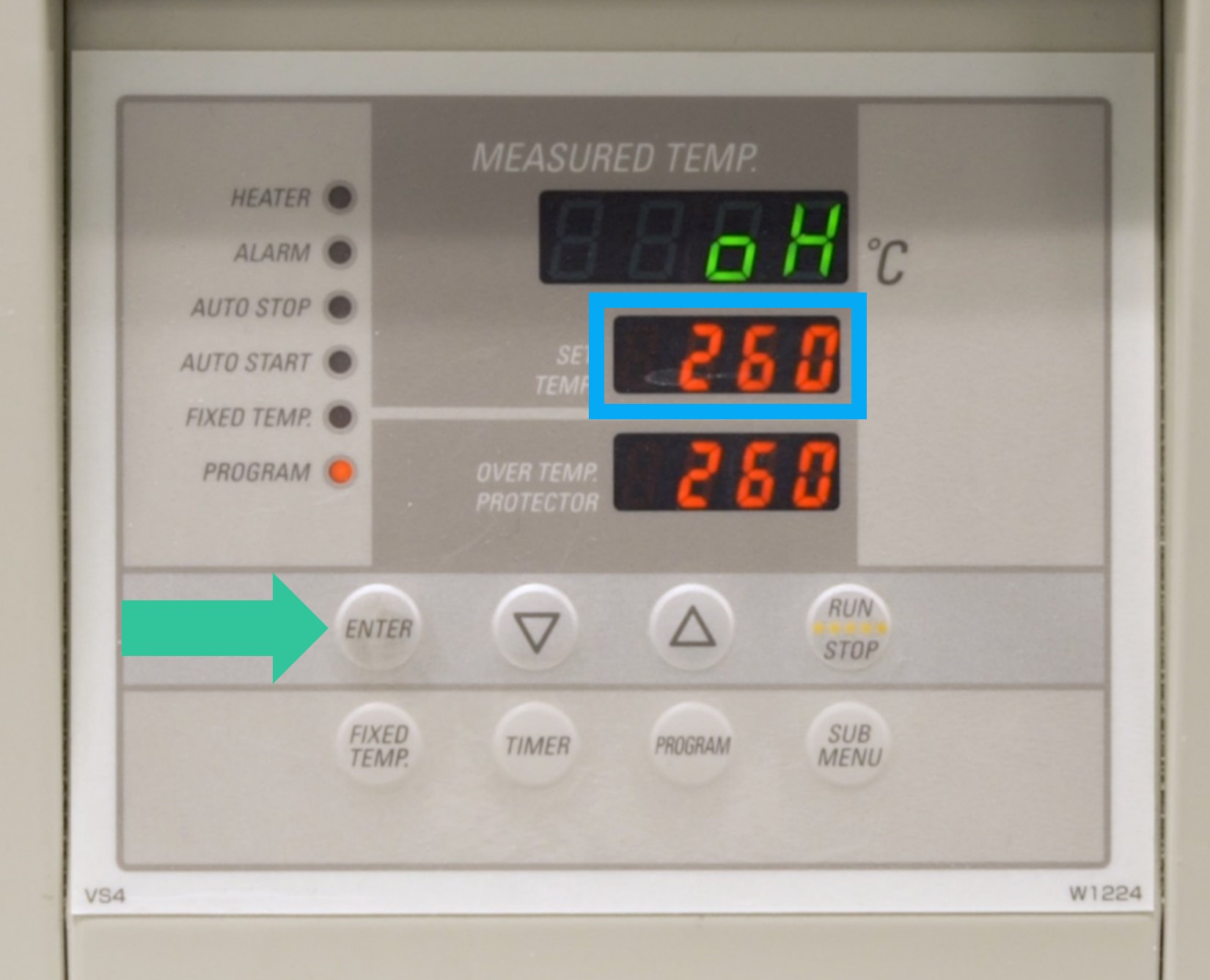
3\. Press the **ENTER** key. The **current setting temperature** is displayed and flashing on the setting temperature screen.
:::
:::VerticalSplitItem
:::
::::
::::VerticalSplit{layout="middle"}
:::VerticalSplitItem
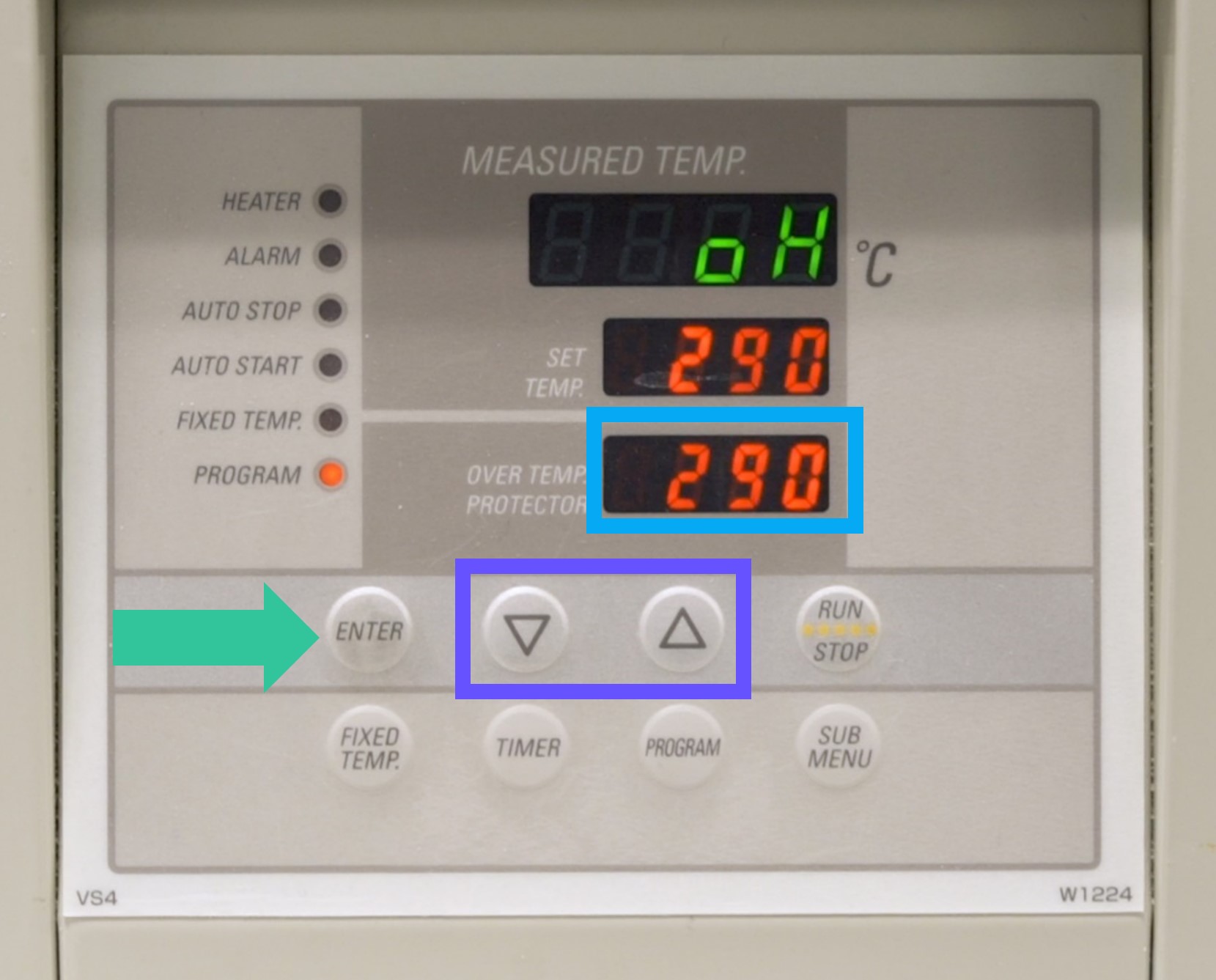
4\. Set the temperature to **290° C** using the **▼▲ buttons** and then press the **ENTER key.**** **
**The oven is now ready for use.**
:::
:::VerticalSplitItem
:::
::::
:::::
::::::
# Programming
The Yamato convection oven is able to store baking cycles as **patterns.** Patterns are stored in one of three programs: PrG1, PrG2 and PrG3.
- PrG1 can hold 1 pattern.
- PrG2 can hold 2 patterns.
- PrG3 can hold 3 patterns.
So the oven can hold a total of **6 patterns in the 3 programs.**
**When programming the oven be sure to keep track of which material curing cycle is being stored on each pattern.** Carbon recommends posting a list of program/patterns and their corresponding materials on or near the oven for easy reference. See the example table below.
| **Program** | **Pattern** | **Material(s)** | **Cycle Time** |
| ---------------- | ----------- | ---------------- | -------------- |
| Program 1 - PrG1 | Pattern 1 | EPX 82, EPX 86FR | 12.5 hours |
| Program 2 - PrG2 | Pattern 1 | EPU 45 | \~9 hours |
| Program 2 - PrG2 | Pattern 2 | RPU 70 | 4 hours |
## Resin Programs for the Yamato Oven
The handout below provides a list of the available resin programs along with instructions for programming the oven. Print it and bring it into the lab.
::::VerticalSplit{layout="left"}
:::VerticalSplitItem
**English**
:::
:::VerticalSplitItem
::File{src="https://api.archbee.com/api/presign/uXbZOKjJTGpPhjapQ8fvM-FofMxplUuouZ1t22eeUSJ-20250201-010150.pdf" label="Programming the Yamato Oven v02.70.pdf"}
:::
::::
## Example Video
The following video demonstrates programming the cure cycle for **RPU 70 in Program 3, Pattern 1. **Use this video to help guide your programming efforts.
::embed[]{url="https://vimeo.com/527518613/820a3a2c76?dnt=1"}