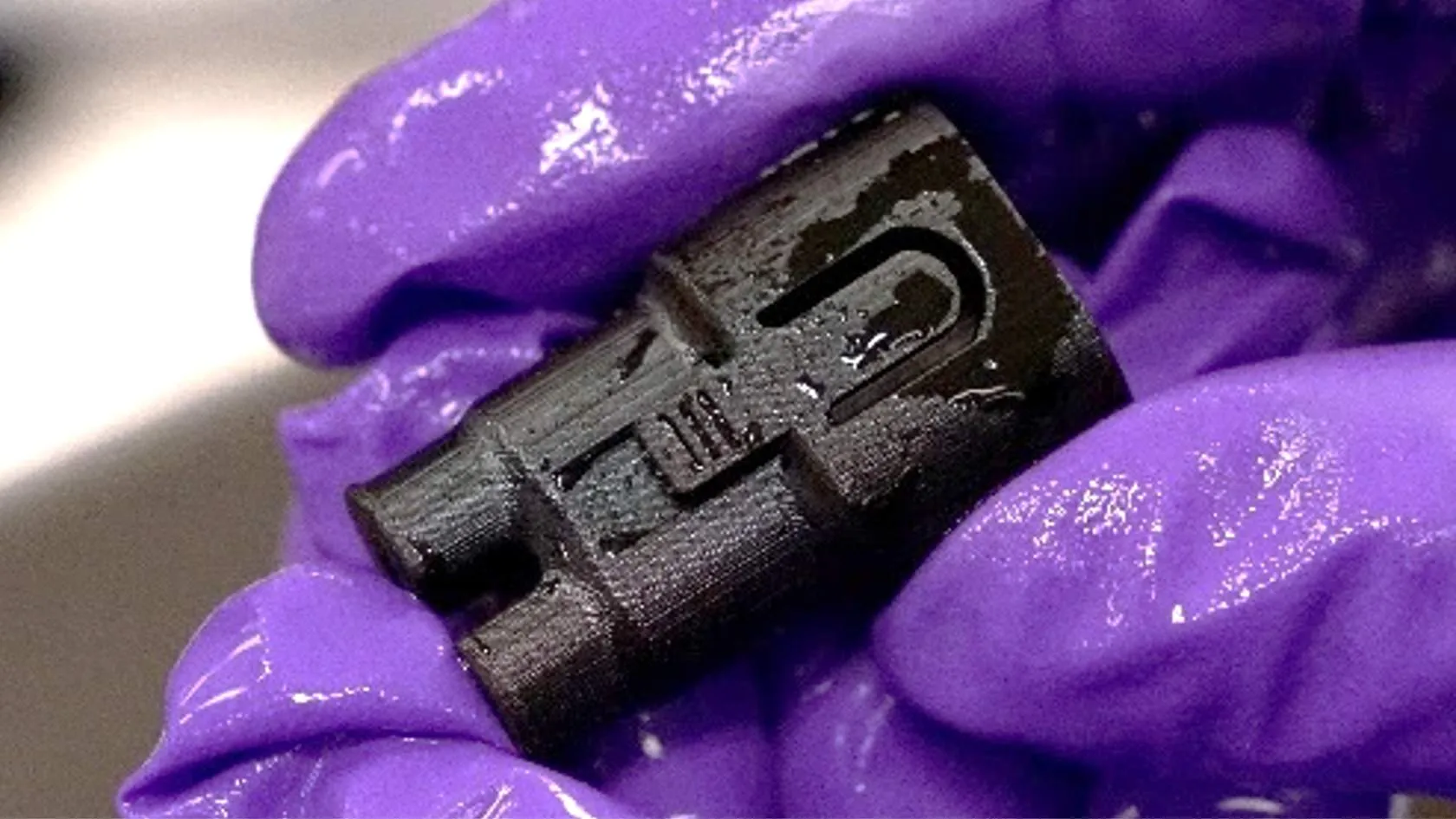
EPX 86FR
Overview
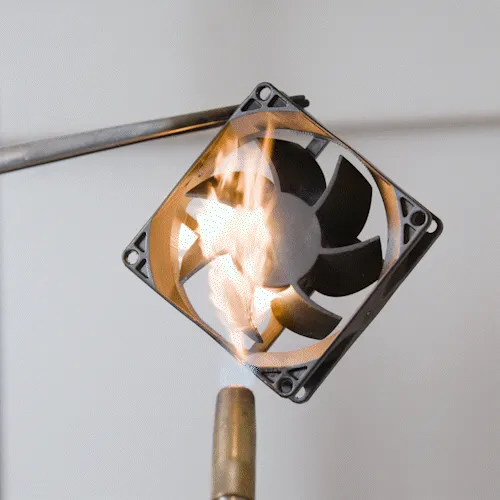
EPX 86FR offers an unmatched combination of flame retardance, functional toughness, high strength, and long-term stability. It is well suited for consumer, automotive, and industrial applications that require UL 94 V-0 or 25.853(a) ratings with flame-retardant and self-extinguishing features.
In this course, you will learn the protocol and unique qualities in working with EPX 86FR.
Resource Links
About the Material Material overview and uses cases
Technical Data Sheet Mechanical properties and data
Safety Data Sheet Login required
Protocol Sheet
This downloadable handout provides important usage information, including instructions about compatible hardware, storage, resin dispensing, washing and curing. Print it out and bring it into the lab.
English
Spanish/Español
German/Deutsch
Design
UL94 V-0 flame-retardant
UL94 V-0 flame-retardant testing certifies down to 2 mm wall thickness. To achieve this rating in the final design, use 2 mm as a minimum wall thickness.
Thin Walls
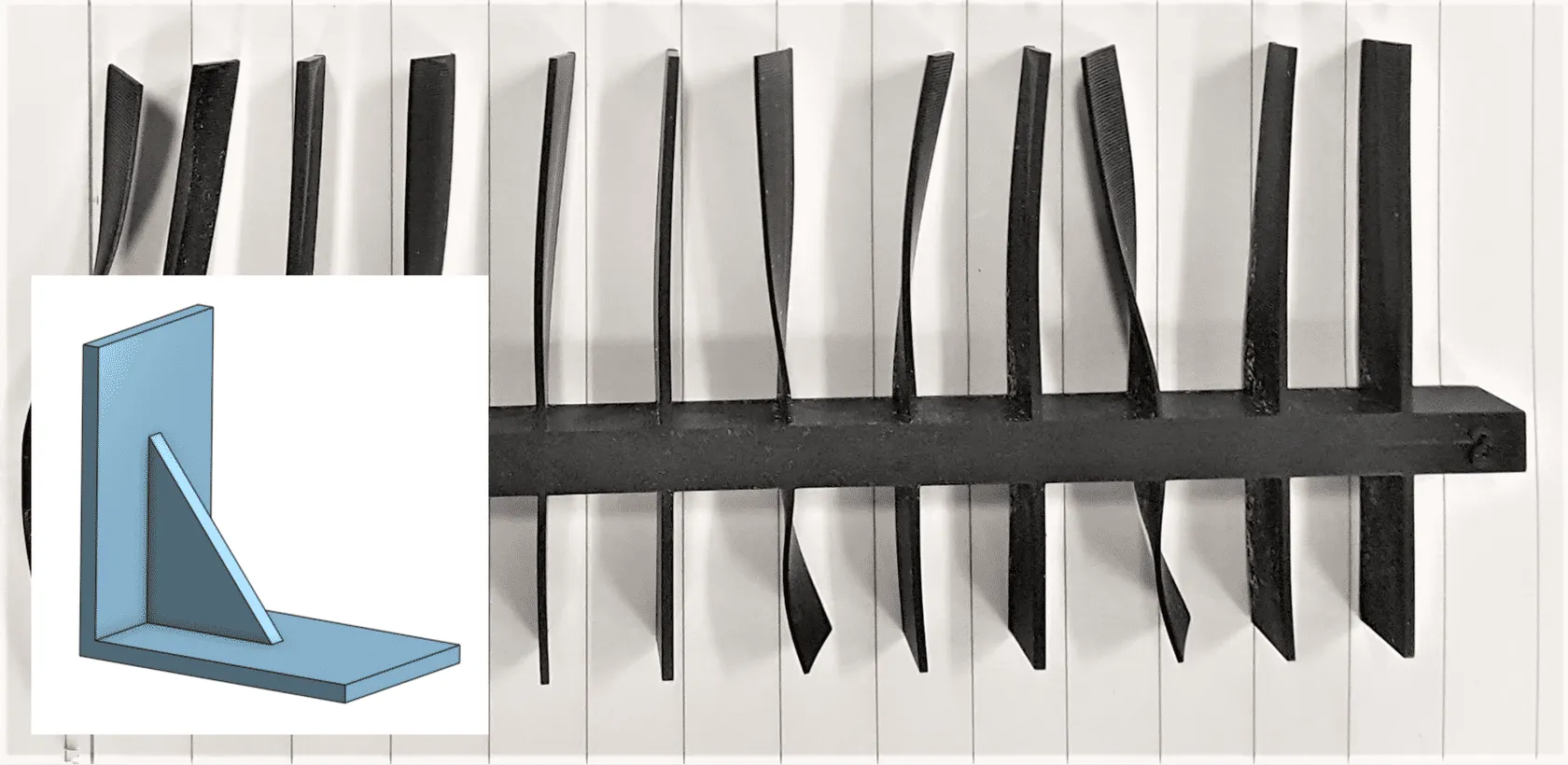
EPX 86FR is a very stiff material in its fully cured state but flexible in its green state, making EPX more susceptible to the warping effects of mass loss. Thin walls will often print properly but are extremely difficult to keep straight and flat through processing and curing.
Mitigations
- Add structural features to support thin walls (example: gussets).
Note that salt baking is also an option to mitigate warping.
Digital Prep
Surfaces Parallel to Platform
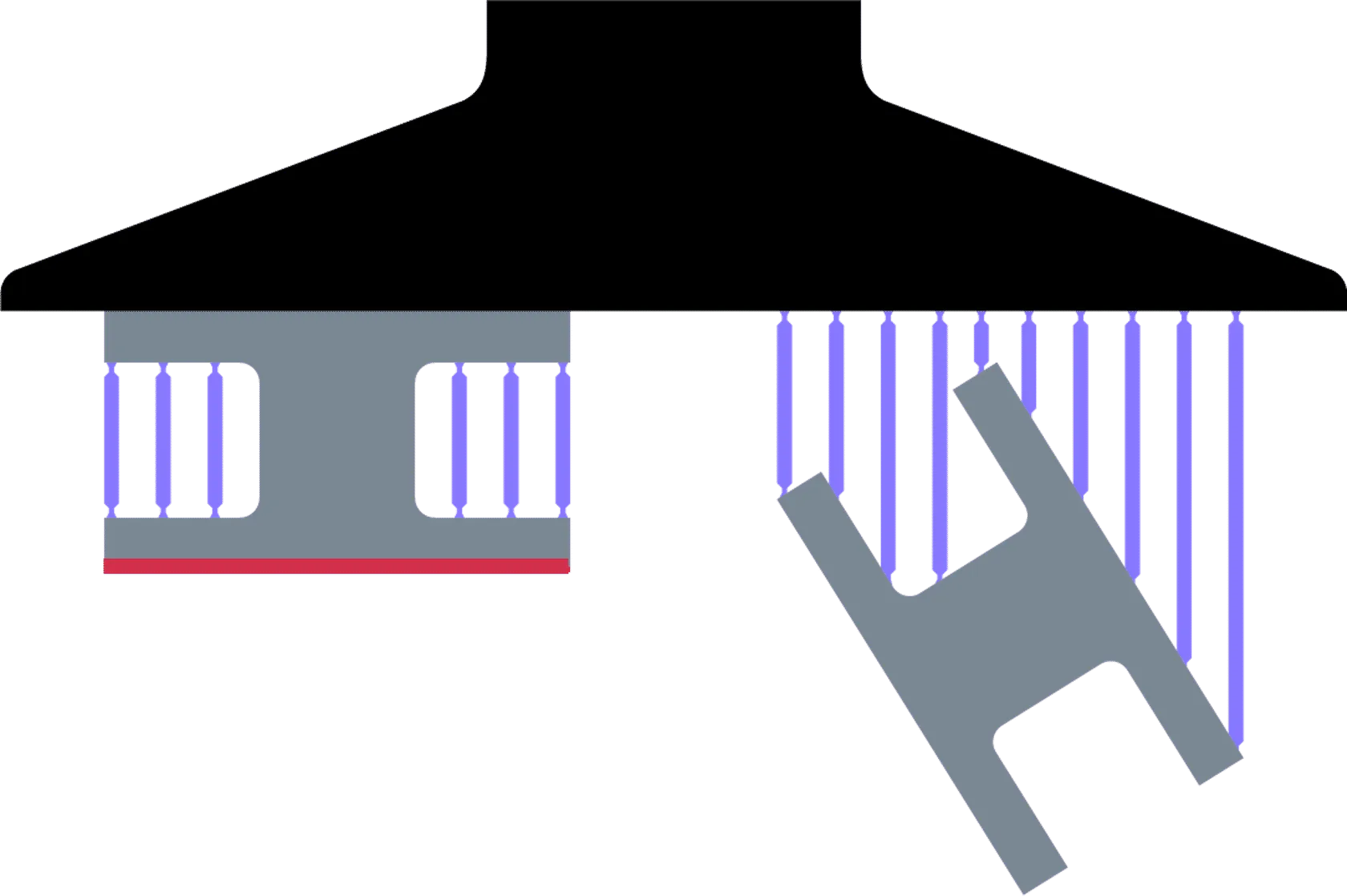
With all DLS™ prints, minimizing the cross section parallel to the platform will speed printing and reduce the chances of defects. EPX 86FR is susceptible to certain print defects that can be avoided with non-parallel part orientations. Window facing surfaces are especially prone to these defects due to the reduced exposure of UV light in the final slices.
Carbon recommends orienting parts at an angle and/or keeping surfaces parallel to the platform less than 10 mm across to minimize the risk of these defects:
- flow line cracks
- voids
- fence support cracks
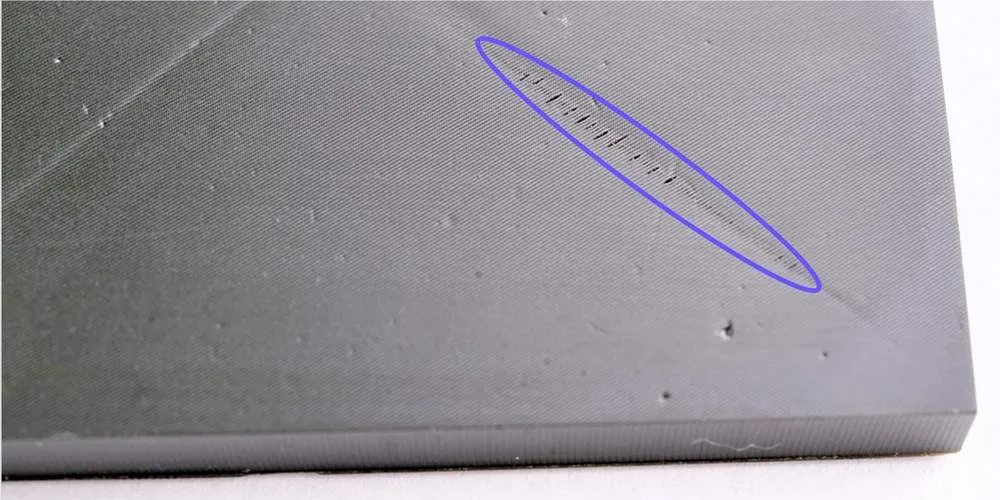
Defect - Flow line cracks
Flow lines occur in surfaces parallel to the platform and facing the window, appearing as X's on square areas. Flow lines occur with all resins, but in EPX 86FR, lines may have cracks along them.
Troubleshooting:
- Orient parts to keep surfaces at an angle (recommended).
- Keep surfaces parallel to the platform smaller than 10 mm across.
- Reduce solvent exposure time.
- Contact Carbon Support for access to the "Large cross-section/cavities" print profile. Note that use of this profile will increase print times and may result in voids in your part.
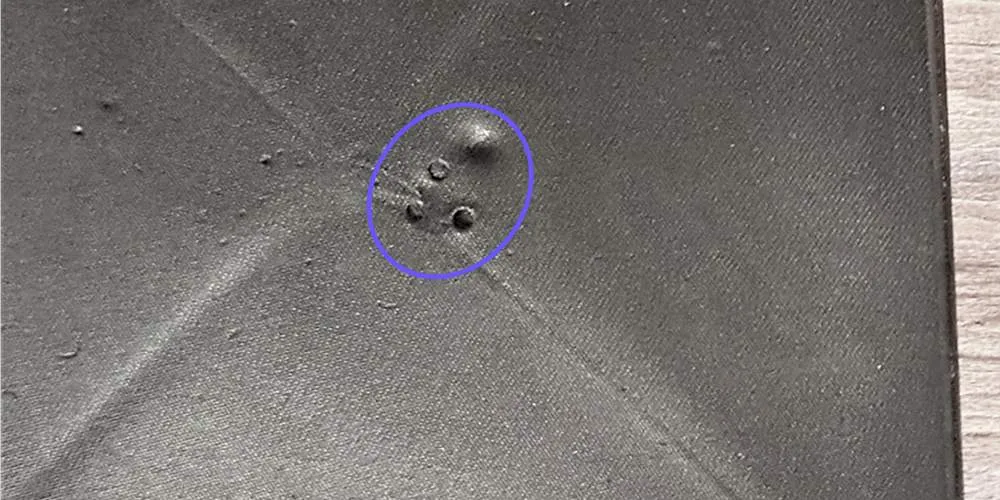
Defect - Voids
Voids appear as pits or craters in the part on surfaces parallel to the platform.
Troubleshooting:
- Orient parts to keep surfaces at an angle (recommended).
- Keep surfaces parallel to the platform smaller than 10 mm across.
- Contact Carbon Support
Part Spacing
EPX 86FR is a highly exothermic resin: It generates a large amount of heat during printing. The printer software will automatically slow the print to prevent overheating.
To help dissipate the heat as quickly as possible and minimize print times, Carbon recommends keeping at least 5 mm of space between parts on the platform. This enables fresh resin to flow throughout your print area, carrying away heat and preventing heat buildup.
Reference Basic Printer UI for more information on Layout.
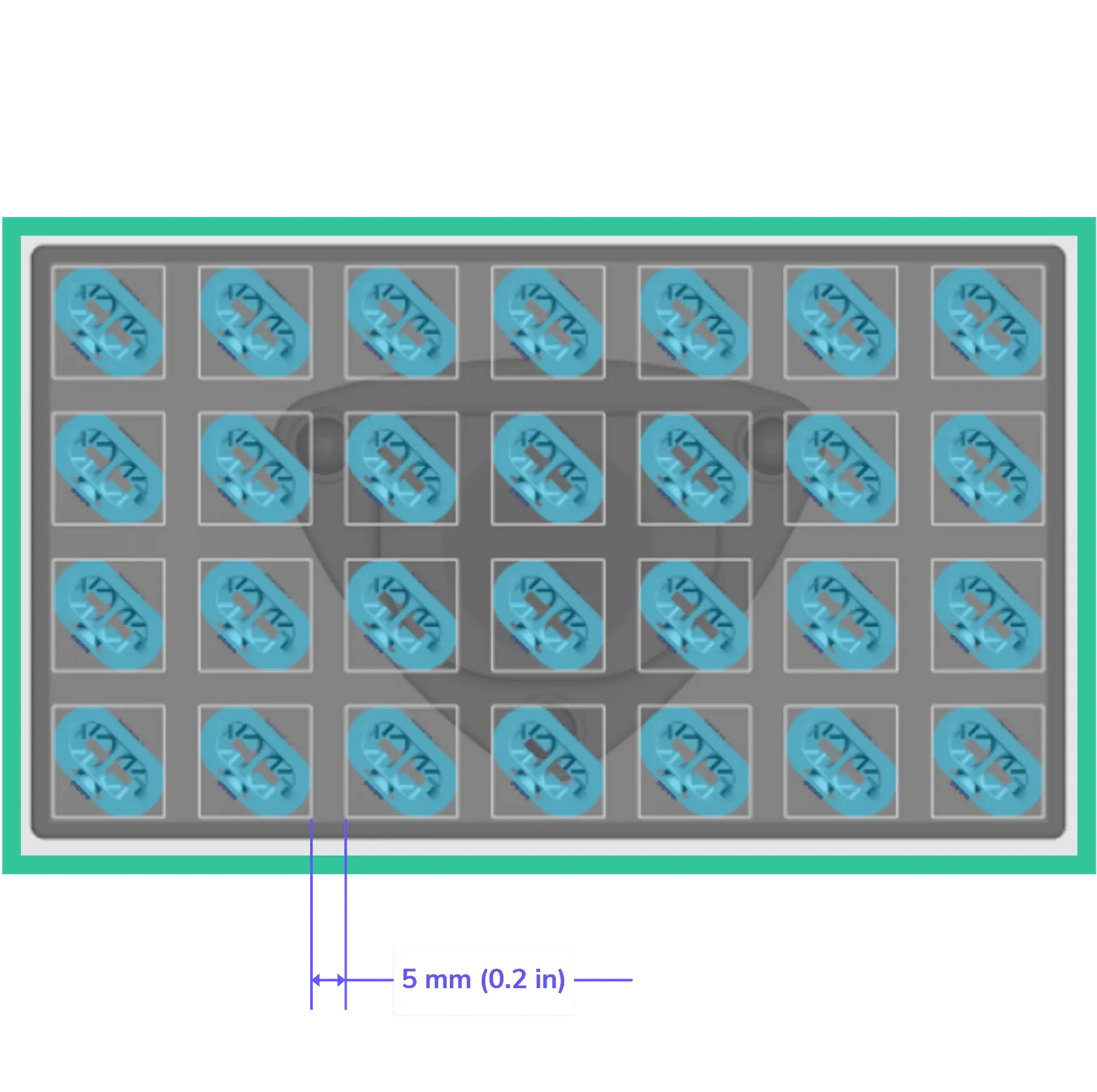
5 mm spacing - Best rule of thumb for all Carbon resins.
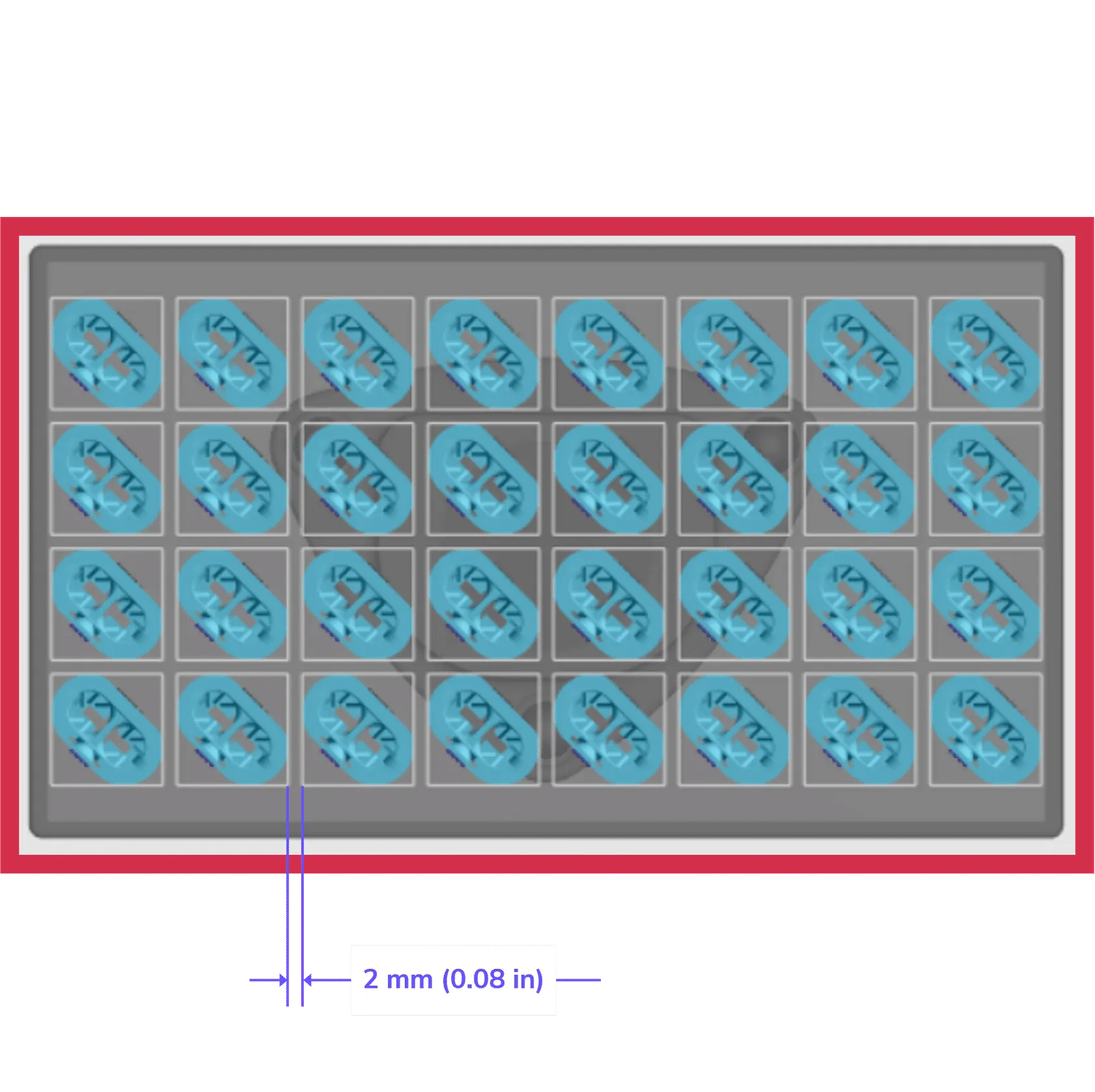
2 mm spacing - Tightest spacing that might be used with other resins, but EPX 82 typically generates too much heat to pack the build this tightly.
Printing
Release Film
EPX 86FR has a very good platform adhesion. Because of this, we highly recommend using release film.
- Release film will help prevent damage to parts during removal from the platform.
- Printing on a bed of supports may mitigate the need for release film.
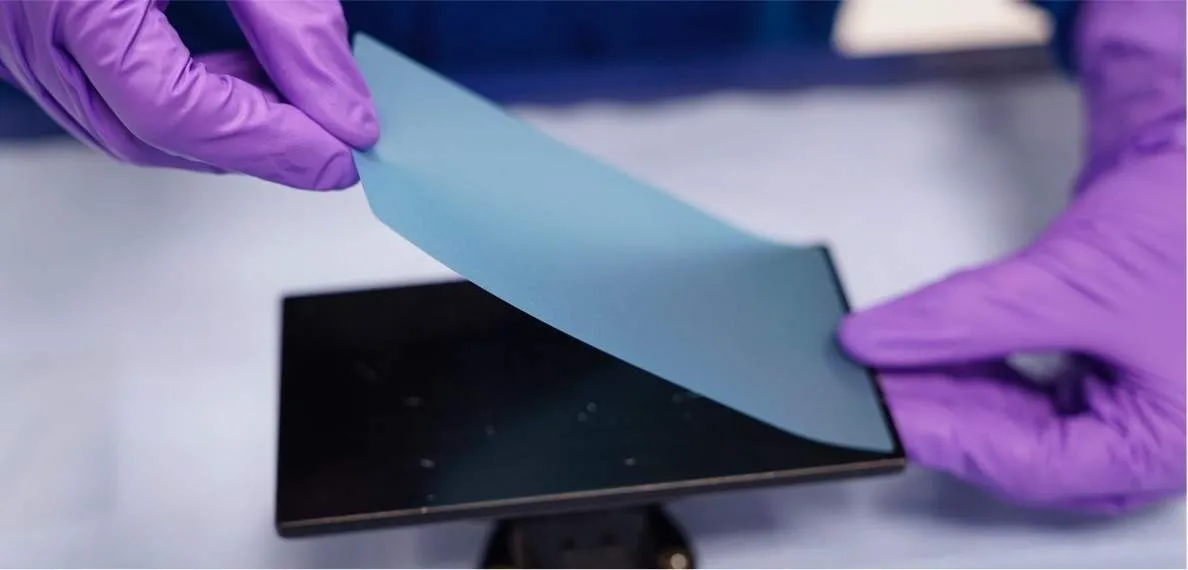
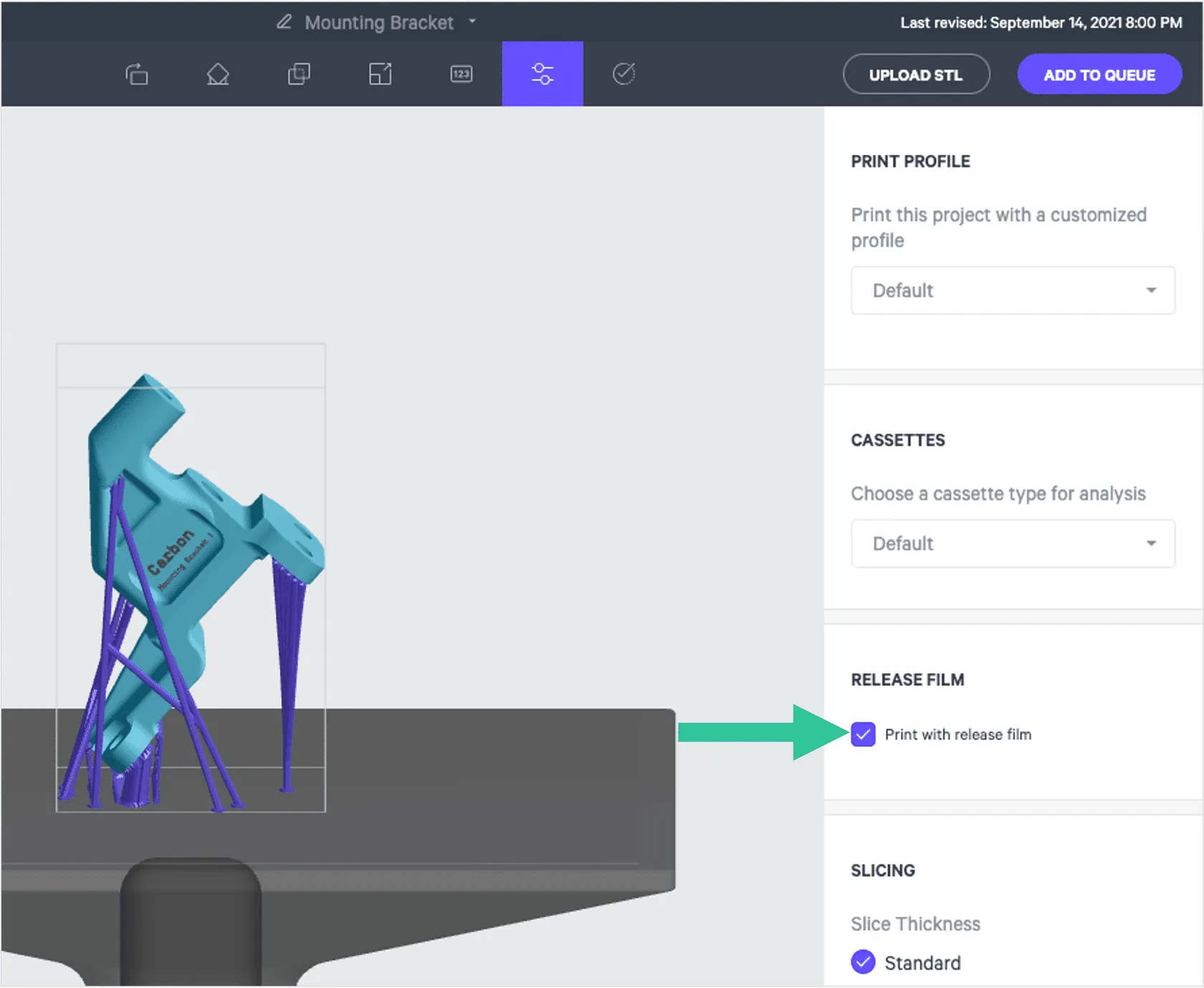
When using release film, select the Print with release film checkbox from the Print controls sidebar.
Washing
Wash Promptly
Carbon recommends washing EPX parts as soon as possible after printing, ideally within 4 hours. And always within the pot life, counting from time of dispense.
- A component of EPX is volatile and evaporates quickly.
- Delaying washing leads to more evaporation which increases resin viscosity and makes washing more difficult.
- While queuing up parts for washing, avoid letting consumables (towels, foil, etc.) touch parts before they are washed. Liquid EPX 82 is very sticky. All will stick to the liquid resin and be difficult to remove. Even non-stick foil will stick to the liquid resin, as seen in this photo.
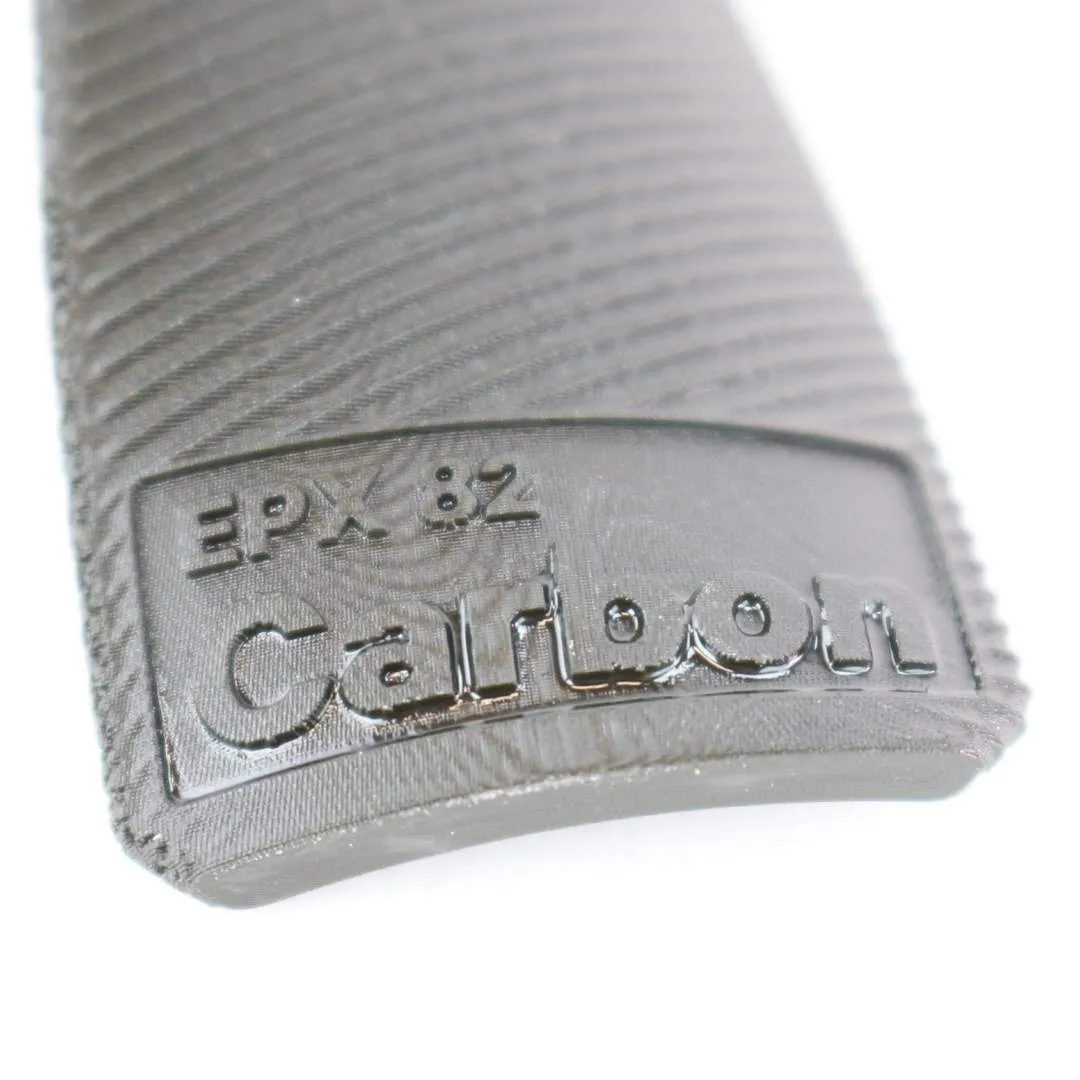
Delayed cleaning
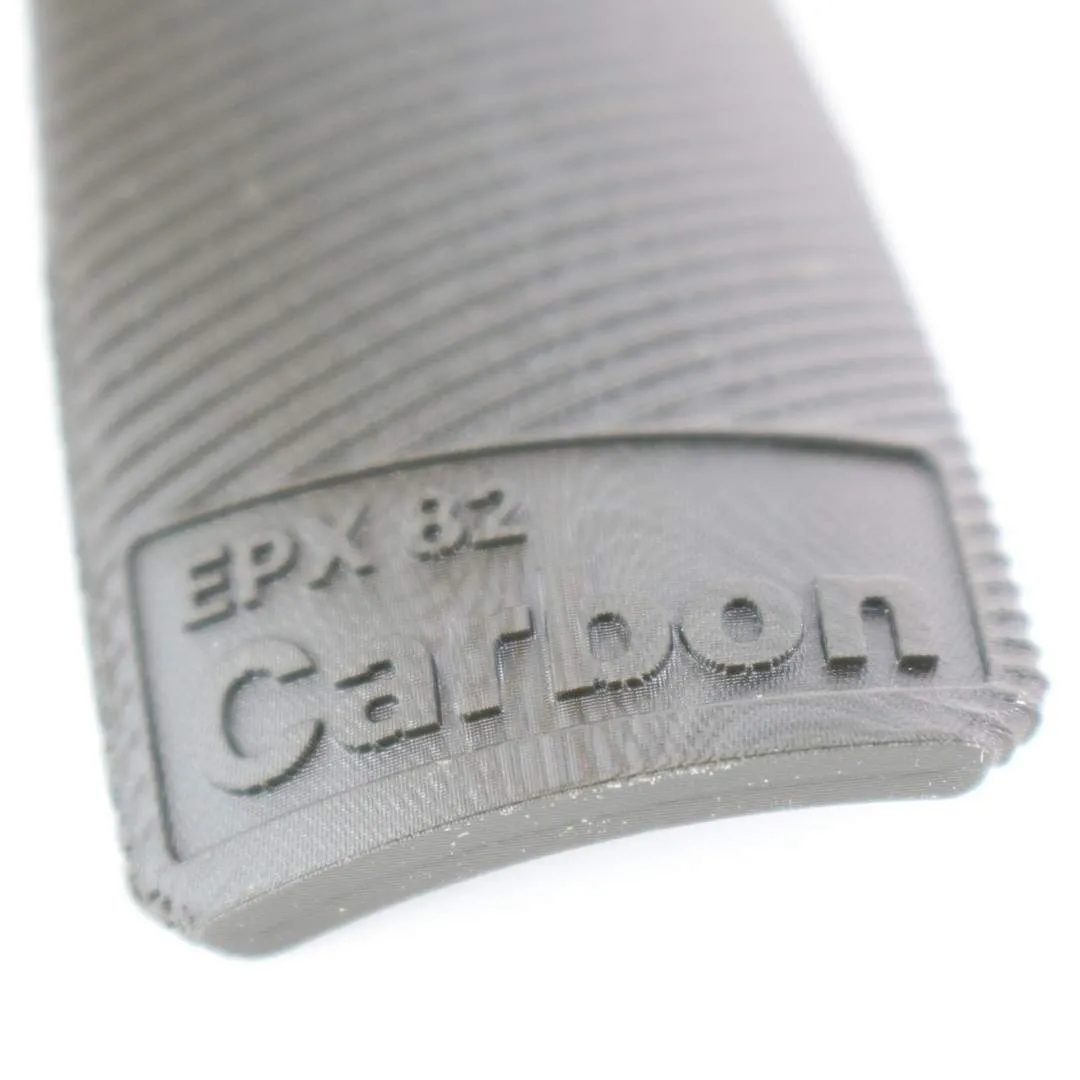
Cleaned promptly
Touch Up
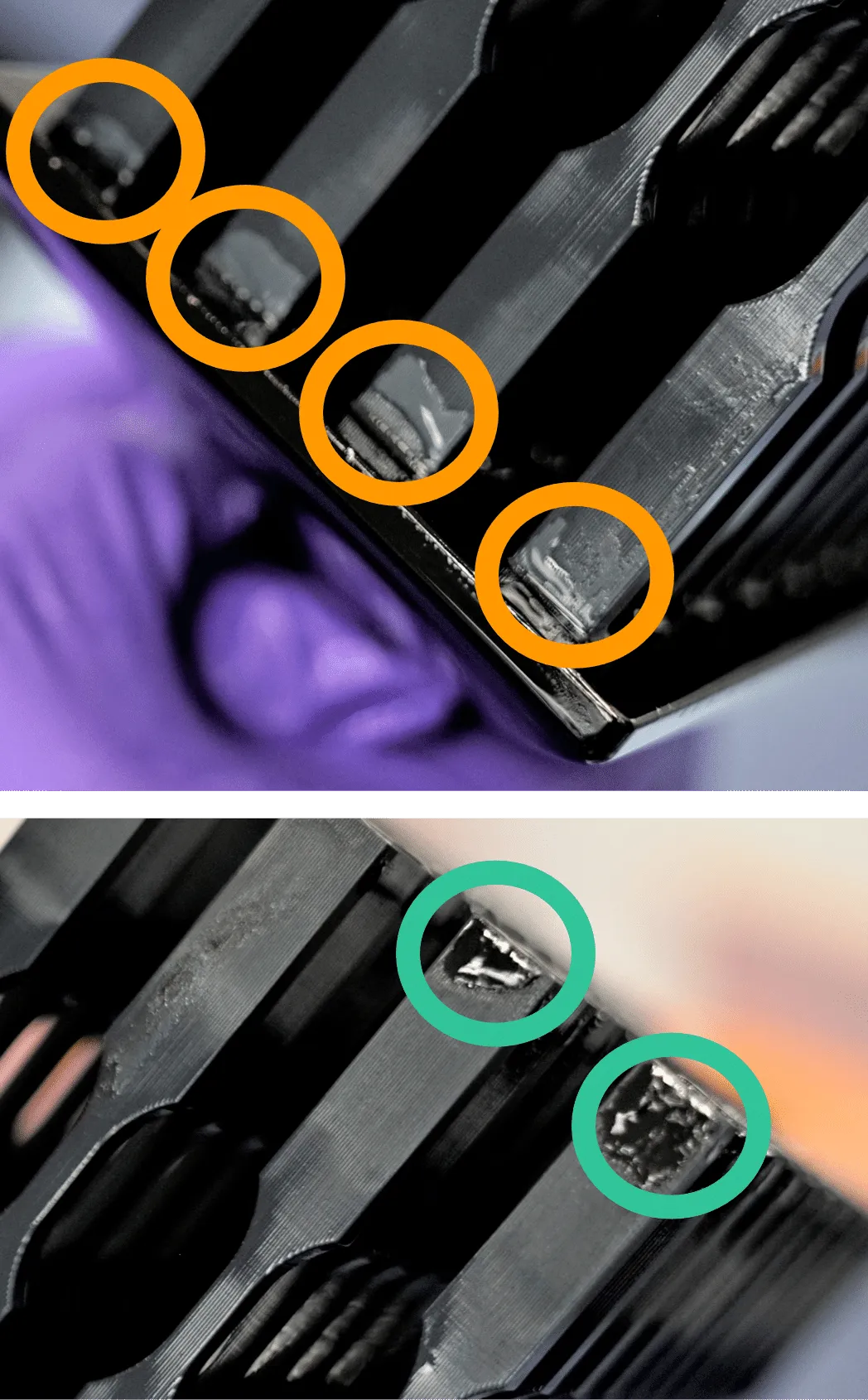
Swabbing may be necessary for touch up of uncleaned resin in some cases:
- For complex gemetries with blind holes or similar features.
- For manually washed parts (not using the part washer).
- For parts cleaned long after printing or close to the resin's pot life.
Identification
- For parts straight out of DPM solvent, uncleaned resin will have a blue-gray tint. (liquid resin soaked with solvent)
- After DPM solvent has evaporated, uncleaned areas will appear black and shiny.
Touch up
- Follow standard swabbing methods with IPA for lightly soiled areas.
- If parts are not coming clean with IPA swabbing alone, swab first with DPM (in the same manner) and then finish with a wipe of IPA.
Curing
Notes
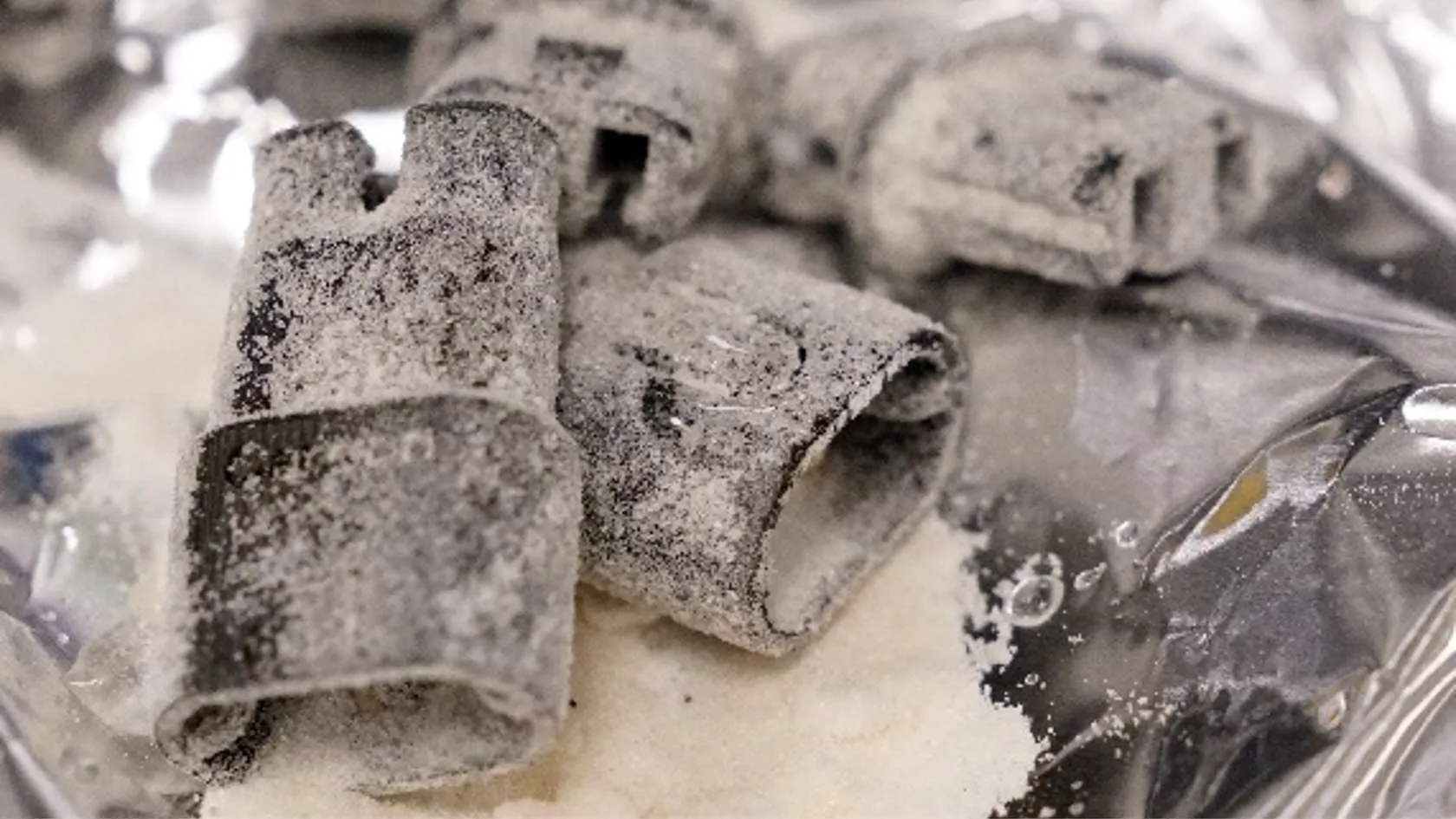
- Salt pack parts to minimize warping and pack between 30-150 minutes after washing.
- Ensure parts are fully cleaned, spot cleaning with swabs as needed. Check blind holes, corners and engravings.
- Minimize time between washing and salt packing for the best reduction of warpage.
- Longer times between washing and salt packing will enable easier removal of salt later. There is a tradeoff between warping potential and ease of salt removal. Plan for consistency in processing production runs.
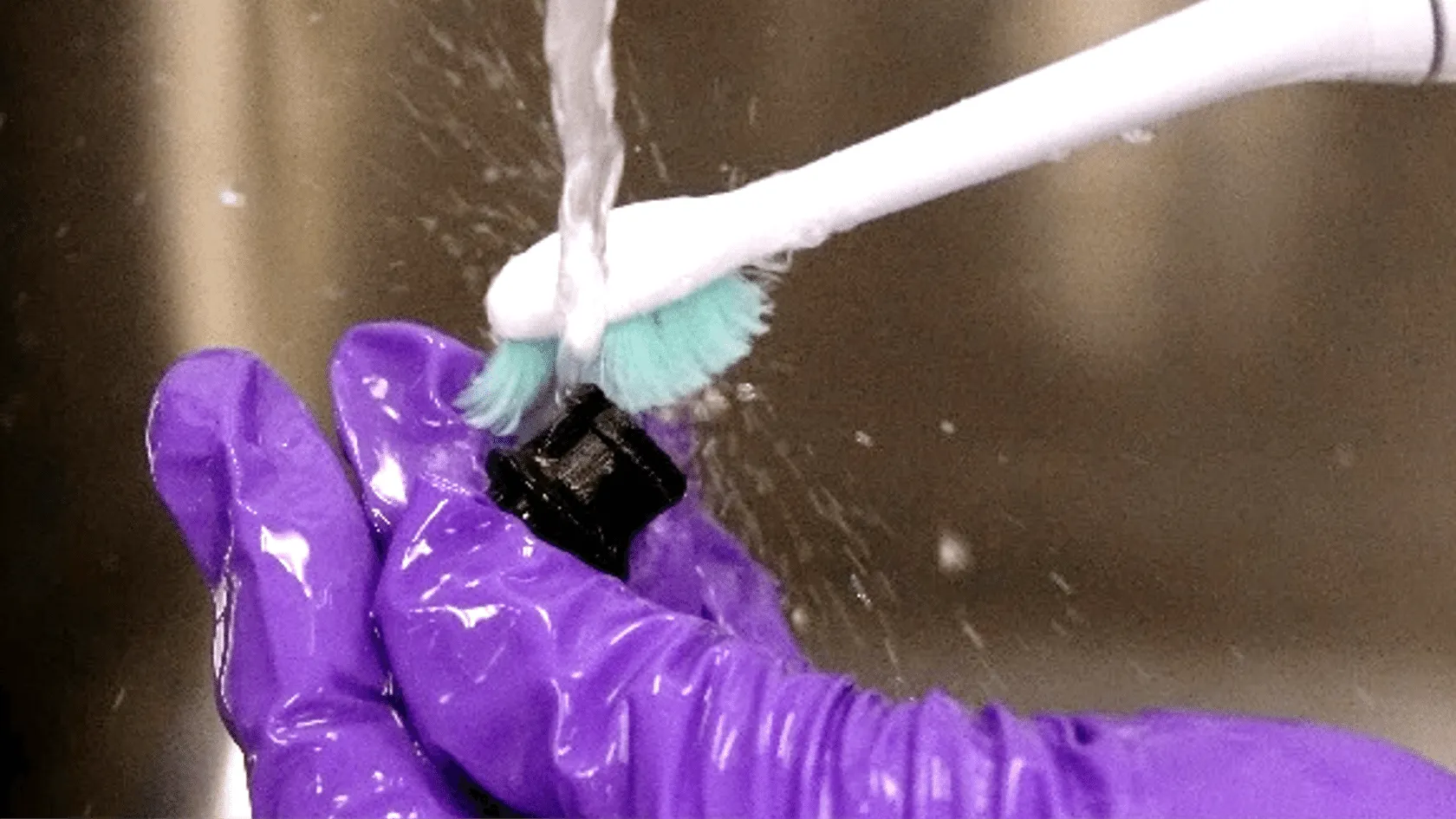
- Salt removal requires soaking in warm, soapy water for up to 10 minutes and use agitation (such as a toothbrush) to aid in salt removal.
- Compatible baking elements: (include for all two-part resins per protocol)
- Ceramic baking tray (clean)
- Non-stick aluminum foil
- Pan mesh (may leave marks on heavy parts)
Cleaning Salt Packed Parts
Salt tends to stick to EPX even when parts are washed well, so salt packed parts will require extra attention in removing salt.
Compared to manual washing, salt is more easily removed from EPX 82 parts washed in a DPM filled Smart Part Washer.
Rest Parts Before Curing
Let parts rest for 30 – 150 minutes between washing and salt packing.
Note: This may increase green state warpage.
Soak Parts After Curing
Soak parts in warm, soapy (dish soap) water for up to 10 minutes to facilitate removal.
Do not soak parts longer as EPX absorbs water and will dry very slowly.
Use Water and a Toothbrush
Use water and a toothbrush or other soft tool to remove salt from the part surface.
- Other dental tools, such as a water pick, can help reach areas that are difficult to access.
Pay particular attention to small spaces, bosses, corners, and engraved/embossed features.
Dry Parts
Compressed air can quickly dry parts.
The force of the air will also blow off any salty water that could leave a salty film on parts.